
2 posts tagged with "lead generation"

View All Tags

Predictive Analytics in Marketing: How AI Powers Data-Driven Strategies

· 27 min read
TokLis Solutions
Software delivery and digital marketing insights

Predictive analytics in marketing powered by AI data-driven strategies

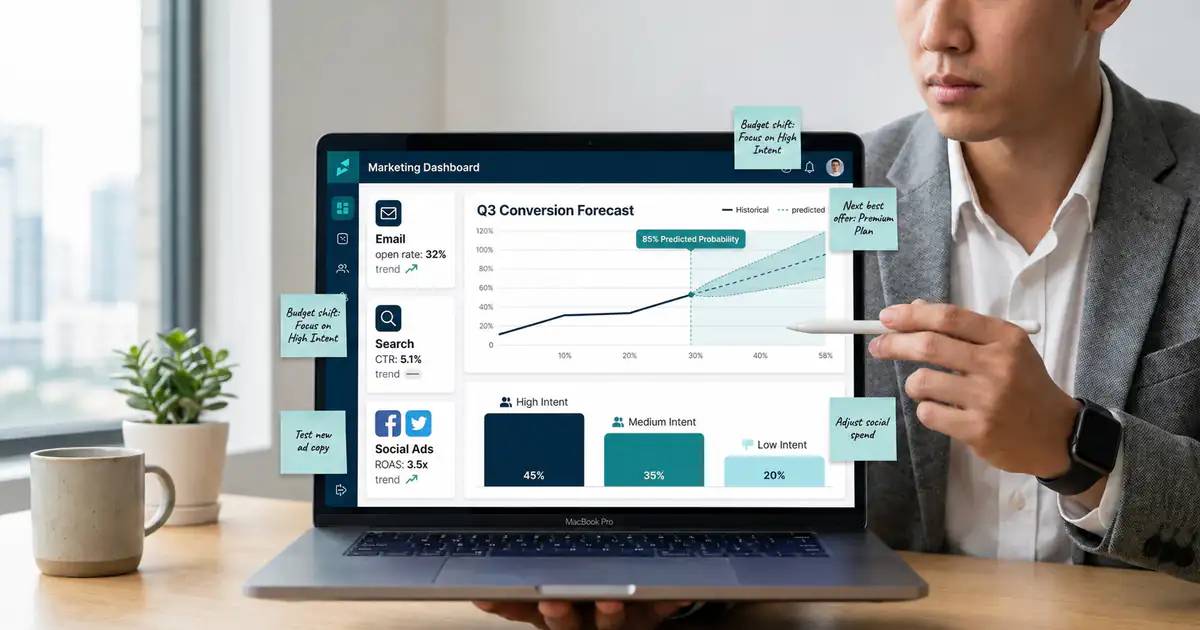
Predictive Analytics in Marketing helps you stop guessing and start planning with foresight. Instead of reacting to last month’s clicks, you predict what customers are likely to do next, then you act early. AI makes this practical for small and medium size businesses because it can learn patterns from real campaign and customer data. You do not need a data science department to benefit. You need one clear business question, reliable tracking, and a way to turn predictions into actions inside your funnel. In this guide, you will use the PREDICT Framework, a step by step method Toklis.Solutions uses to turn data into decisions. You will learn how to anticipate behavior, improve lead generation, and run more intelligent advertising with confidence.

Real-World Impact: Moving Beyond the Coin Flip

A solo founder selling B2B workshops once told me, “My ads bring leads, but the calls are a coin flip.” We added a simple propensity score, meaning a prediction of who would book a call within seven days. The founder did not change targeting at first. They only changed follow up speed and message sequencing for the top scored leads. Within four weeks, booked calls rose from 11% to 18% with the same budget, and no extra hours in the week [Add data source]. The biggest surprise was emotional, not technical. The founder stopped debating opinions and started asking, “What does the model expect, and what will we test next?”

The Core Shift: From Reports to Operating Systems

That is the core shift: prediction is not a shiny report, it is a repeatable operating system for marketing. When AI powers data-driven strategies, you can allocate budget earlier, personalize offers sooner, and protect margin before it erodes. However, the model is only one component. The leverage comes from activation, meaning your ads, emails, landing pages, and sales workflows change based on the prediction. You will see practical examples for ecommerce, services, and SaaS, plus a realistic 30 day launch plan. You will also learn guardrails that keep your team safe when you use AI in marketing, including privacy, bias checks, and simple ways to validate lift. By the end, you will know exactly what to build first and what to ignore for now.

Meet the PREDICT Framework for Predictive Analytics in Marketing

PREDICT is the roadmap we use to operationalize Predictive Analytics in Marketing without turning your business into a research lab. P stands for Pinpoint the profit question. R means to Ready your data. E represents Engineering the signals. D covers Deciding on models and KPIs. I is for Implementing predictions in campaigns and CRM. C is about Calibrating with experiments. Finally, T reminds you to Track and tune over time. Each step is designed for real constraints: limited data, limited time, and tools that were not built for data science. Your goal is not a perfect model. Your goal is a decision system that improves results week after week. As you read, keep one use case in mind, because focus beats complexity every time.

P: Pinpoint the profit question before you use AI in marketing

Choose one decision that moves profit

Most “AI marketing” projects fail because they start with a tool and end with a dashboard. Predictive analytics only works when you tie it to a decision with a clear owner. Start by picking one decision you make weekly that changes revenue, margin, or cash flow. For example, you can decide which leads get a sales call, which customers get a retention offer, or which product bundle gets pushed in ads. This focus also protects you from vanity metrics. A model that predicts clicks might look impressive, yet it can still lose money if it attracts bargain hunters. If you are a founder, the fastest path is to choose one decision, one metric, and one workflow you can actually change this month.

Define the outcome, the window, and the segment

A prediction needs a definition that a computer can learn and your team can audit. Choose an outcome you can measure, like purchase, booked call, renewal, or churn. Then choose a time window, like seven days after signup or 30 days after first purchase. Finally, define the segment, such as new visitors, trial users, or past buyers. This structure prevents confusion later when results get reviewed, because everyone agrees on what “success” means. It also forces you to connect the model to your funnel stages. For lead generation, strong starter outcomes are booked call, sales qualified lead, or deposit paid, because they are closer to revenue than form fills today.

Micro case study: from more leads to better pipeline

A boutique home services company spent $4,000 per month on ads and celebrated a growing inbox. However, the owner noticed a pattern: the cheapest leads asked for the smallest jobs. We reframed the profit question to “Which leads are likely to request a project above $2,500?” We used past jobs, zip codes, device type, and landing page behavior to predict high value intent. Then we built two follow up flows: fast phone calls for high value leads and a helpful email sequence for everyone else. After six weeks, close rate on calls rose from 22% to 30%, and average job size increased by about $600 [Add data source]. The model did not create demand, it redirected attention to the demand that already existed.

Starter profit questions you can use this week

If you feel stuck, borrow a profit question that matches your model. Ecommerce businesses should ask who is likely to buy again in the next 14 days, then trigger a replenishment offer. In B2B services, the question is which inbound leads will book a call within seven days, allowing you to prioritize fast outreach. SaaS founders might ask which trial users will activate a key feature by day three to guide them with in-app prompts. Alternatively, if you sell high ticket programs, ask which leads will show up and match your ideal profile to protect your calendar. Pick one question, write the exact outcome definition, and you have a project that can be built, tested, and improved.

R: Ready your data so AI powers data-driven strategies

Start with a minimum viable dataset

You do not need big data to make predictions. You need connected data that tells a consistent story. A minimum viable dataset includes an identifier, a source, key events, and an outcome. For most SMBs, that means web analytics, ad platform clicks, email engagement, and CRM stages. The critical requirement is linkage. If your CRM lead does not connect to the form submission, the model cannot learn what drives quality. Therefore, treat identifiers as your first technical milestone. Pass a lead ID from the landing page to the CRM, store UTMs, and keep the same ID through the funnel. Once your data is connected, even a simple spreadsheet export can support useful scoring.

Fix tracking before you build the model

It is tempting to jump into modeling because it feels like progress. However, tracking fixes often create the biggest lift. Start with event definitions: what counts as a lead, what counts as qualified, and what counts as revenue. Then confirm your events fire reliably across devices and browsers. Next, align naming so “purchase” means the same thing in analytics, CRM, and ads. Finally, remove obvious noise like duplicate leads, test transactions, and internal traffic. A founder friendly rule is to audit one week of data line by line. If you cannot explain where each conversion came from, your model will not either, and you will chase ghosts in meetings for months.

Micro case study: the hidden form field that unlocked accuracy

A coaching business ran Meta ads and Google Search, but “source” in the CRM was often blank. The owner assumed the platforms were unreliable, so they kept shifting budgets based on gut feel. The real issue was simple: UTMs were not being captured and there was no lead ID stored with the form. We added a hidden field that stored UTMs and click IDs when available, then passed it into the CRM. Within two weeks, attribution completeness improved from about 55% to 92% [Add data source]. Only then did predictive scoring become meaningful, because the model could connect intent signals to channels. The owner also discovered one campaign produced fewer leads but twice the qualified rate, which changed their entire budget plan.

Data readiness checklist for small teams

Before you move forward, confirm four data readiness basics. First, outcomes exist as analytics events and as CRM stages, not just notes in a call log. Second, each lead or customer has a stable ID that persists across steps, from first click to purchase. Third, key sources are captured consistently, including UTMs and ad click IDs when consent allows. Fourth, the data can be exported into a simple table with one row per lead or customer. If any of these fail, pause and fix them, because every model trained on broken data will waste time and money. If you want help, Toklis.Solutions can implement tracking and pipelines so you can focus on offers and growth.

E: Engineer signals that predict behavior and improve lead generation

Focus on signals that reflect intent, not just activity

Raw activity is not the same as intent. Intent shows up as patterns, like repeated visits to pricing, time on a comparison page, or returning via branded search. Feature engineering means you turn behavior into signals a model can learn and you can explain. Start with three categories: recency, frequency, and depth. Recency answers how recently someone engaged. Frequency answers how often. Depth answers how far they went. For example, “visited pricing twice in three days” is stronger than “visited pricing once.” In addition, include funnel milestones, like starting checkout or reaching a demo scheduler. These signals make Predictive Analytics in Marketing feel tangible because they map directly to real customer behavior.

Build a small signal library you can reuse

Founders move faster when they reuse patterns. Create a small signal library that you can apply across models and campaigns. For lead generation, common signals include form completion time, number of pages viewed, repeat visits within seven days, and engagement with case studies or pricing. For ecommerce, signals include cart adds, category affinity, discount sensitivity, and days since last purchase. For subscriptions, signals include feature usage count, time to first value, and support ticket frequency. Keep signals simple at first. You are not trying to capture every detail. You are trying to capture the few behaviors that consistently separate buyers from browsers. Once you find two or three strong signals, you can scale them into intelligent advertising segments.

Micro case study: the two touch rule that raised conversion

An online course creator believed long form blog traffic was “low quality.” The numbers seemed to agree, because first visit conversion was tiny. We looked deeper and found a simple pattern: visitors with two meaningful touches, like a blog visit plus a webinar signup, were far more likely to buy. We built a signal called “two touch within 10 days” and used it as the main trigger for retargeting and email follow up. We also stopped retargeting one touch visitors with direct discounts, and instead sent them educational content. Over a month, purchase conversion from retargeted traffic moved from 1.6% to 2.4%, while ad spend dropped by 18% [Add data source]. The lesson was clear: good traffic was there, but the timing was wrong.

Feature examples you can copy without a data team

If you want a fast start, copy these feature patterns without hiring a data team. Count events in a window, like sessions in the last seven days. Measure recency, like days since last visit or days since last email click. Capture depth, like max scroll depth on a key page or time on site above 90 seconds. Track intent pages, like pricing views, demo views, and shipping policy views. Add simple ratios, like email opens divided by emails sent. Finally, add monetary summaries when available, like average order value and total spend. Each feature should be explainable to a teammate in one sentence, because explainability builds trust and better decisions.

D: Decide on models and KPIs that match profit

Start simple, then earn complexity

You do not need a complex neural network to win. In most SMB use cases, simple models outperform complicated ones because they are easier to maintain. Logistic regression, decision trees, and gradient boosting can produce strong results with modest data. The key is to choose a model that you can explain, monitor, and retrain without drama. A score that ranks leads from 0 to 100 can already transform prioritization. In addition, simpler models train faster and are easier to validate. That matters when you are moving quickly. Start with a baseline model, measure lift, then add complexity only if the gain is real. Your goal is performance you can repeat, not a clever model you cannot ship.

Pick KPIs that reflect value, not vanity

Your model will optimize whatever you label as success, so choose KPIs that match profit. For lead generation, prioritize sales qualified lead rate, booked call rate, and revenue per lead. For ecommerce, prioritize expected margin, repeat purchase probability, and cart recovery profit. For intelligent advertising, focus on incremental conversions and contribution margin, not just ROAS. ROAS can be misleading when it counts branded demand you would have captured anyway. If you cannot measure margin, start with revenue, but keep a note to improve your data later. A helpful rule is: if a KPI does not change a decision, it is not the right KPI for the model. When in doubt, pick the metric closest to cash.

Micro case study: when a high accuracy model lost money

A DTC brand built a model that predicted who would click a new ad creative. The accuracy looked strong, so they increased spend. Clicks rose, but revenue did not. The model had learned to target bargain hunters who clicked everything. We replaced the target with “profit per user over 30 days,” then retrained. The new model produced fewer clicks, but higher value customers. Over eight weeks, repeat purchase rate rose from 19% to 24% and refund rate dropped from 7% to 5% [Add data source]. The marketing team also felt calmer, because performance stopped swinging with every new creative test. The moral is simple: the label you choose becomes the behavior you get.

A simple scoring approach you can implement quickly

If you want to move fast, build a two stage scoring system. Stage one predicts likelihood to convert, like booking a call or purchasing. Stage two estimates expected value, like predicted revenue or margin. Then compute a priority score, such as conversion probability times expected value. This pushes the system toward both likelihood and impact, which is what founders care about. It also makes activation easier. Sales teams can focus on the top scores, and marketing can reserve higher bids for higher value segments. Even if your value estimate is rough, the direction is useful. Once the workflow is running, you can refine value with better cost and margin data, and your predictions will keep improving.

I: Implement predictions in intelligent advertising and your CRM

Turn scores into actions inside your funnel

A prediction that sits in a spreadsheet is wasted. Implementation means the score shows up where decisions happen: ads, email automation, and CRM tasks. Start by creating action bands, such as high, medium, and low intent. Then assign each band a next step. High intent might get personal outreach or a demo offer. Medium intent might get a case study sequence. Low intent might get educational content, or it might be excluded from expensive retargeting. This is how you use AI in marketing without overcomplicating the stack. You are not automating everything. You are choosing where prediction changes behavior. If you can name the action for each band, you are ready to activate predictive analytics.

Intelligent advertising: better audiences, better bids, better creative

Predictive segments improve advertising in three practical ways. First, you build better audiences, like people likely to buy in 14 days or leads likely to qualify. Second, you adjust bids and budgets based on predicted value, not on gut feel. Third, you tailor creative and offers by segment. A high intent segment might see proof and urgency, while a warm segment sees education and differentiation. When you use AI in advertisement like this, you avoid one size fits all messaging. You also reduce frequency waste, because low intent users stop seeing the same expensive ad ten times. Start with one channel where you already have conversion volume, then expand. Implementation is a marketing skill, not just a technical task.

Micro case study: retargeting that became cheaper and more effective

A B2B software company ran retargeting to all site visitors and complained about rising costs. We introduced a simple “demo likelihood” score based on visits to docs, pricing, and integrations pages. Only the top 30% of scored visitors entered the retargeting audience. The team feared volume loss. Instead, cost per booked demo dropped from $210 to $155 and sales reported fewer low fit calls [Add data source]. The creative also changed. High score users saw messaging about implementation speed and integrations, while lower score users saw a short explainer video. The company did not need more traffic. It needed better timing and better relevance. That is the quiet power of intelligent advertising when prediction drives segmentation.

CRM activation for lead generation and sales speed

In the CRM, predictive scores shine when they drive prioritization and timing. Add the score to the lead record, then create simple rules. High score leads get a task within one hour. Medium score leads get a task within one day. Low score leads enter nurture. Also route high score leads to your best closer, because speed and skill compound. In addition, align messaging. High score leads should receive the shortest path to a conversation, while medium score leads need proof, clarity, and objections handled. This is where predictive analytics becomes lead generation fuel, not just analytics. If you want to start small, implement only one rule: respond faster to the top band. It often delivers the quickest ROI [Add data source].

C: Calibrate with experiments so you can trust the lift

Prove impact with tests, not vibes

Prediction feels persuasive, so it is easy to fool yourself. Calibration means you prove the model improves outcomes compared to your current process. The simplest test is a holdout. Keep a random slice of leads on your normal workflow, and apply the predictive workflow to the rest. Then compare outcomes over a consistent window, like booked call rate within seven days or revenue within 30 days. Make sure the groups are comparable and that your team follows the rules. Also watch for leakage, where sales reps treat control leads differently because they can guess intent. A clean test gives you confidence to scale spend. A messy test creates debate and stalls progress. If you only do one thing, document your baseline before you change anything.

Design experiments that fit small sample sizes

SMBs do not always have thousands of conversions per week, so your experiments must fit small sample sizes. Choose high leverage decisions, like follow up speed, offer sequencing, and retargeting inclusion. These often show impact with fewer samples. Use one primary metric tied to profit, plus one guardrail metric like refund rate or unsubscribes. Avoid changing too many variables at once. For example, when testing a predictive retargeting audience, keep creative stable for the first two weeks. When testing predictive lead routing, keep scripts stable. In addition, run tests long enough to cover day of week effects. A seven day window is often a minimum. If you cannot run a clean experiment, treat results as directional and stay conservative with scaling.

Micro case study: the speed to lead experiment that paid for itself

A consultant received about 40 inbound leads per month and assumed predictive scoring would not matter. We used a simple model to identify the top 20% most likely to book. Then we ran a timing experiment. High score leads got a personalized email within 15 minutes, while everyone else followed the normal 12 hour response time. After two months, the fast follow up group booked at 2.2 times the rate of the control group [Add data source]. The model did not change the consultant’s brand, pricing, or ads. It changed timing and attention. That is why calibration matters. Without a test, the consultant would have blamed the model for “not working,” even though the workflow change was the real driver. Use experiments to separate model value from execution value, then improve both.

Experiment checklist you can reuse every quarter

Before you run a test, confirm four items. First, you have a clear hypothesis, like high score segments will convert more with offer A than offer B. Second, you have a control group and a measured window. Third, you have one primary metric tied to profit, plus one secondary metric that protects brand trust. Fourth, you have a plan for what you will change if the test wins or loses. Then run the test and write down the result. This documentation becomes a library of decisions, which helps when tools or team members change. If you want support setting up clean tests, Toklis.Solutions can build the measurement plan and dashboards so your experiments stay honest. The goal is not to “prove AI.” The goal is to prove a better decision system.

T: Track, tune, and turn Predictive Analytics in Marketing into a growth engine

Monitor drift so predictions stay accurate

Markets change, offers change, and traffic quality changes. That means models drift, which is a simple way of saying yesterday’s patterns stop predicting tomorrow. Tracking helps you catch drift early and protect budget. Start by monitoring input health, like missing UTMs or broken events. Then monitor output behavior, like average score over time and conversion rate by score band. If your average score suddenly spikes, it might mean tracking broke or your traffic mix changed. Also monitor calibration, meaning whether a 70 score still converts near the expected rate. You do not need advanced tools to start. A monthly spreadsheet review can catch most issues. Treat the model like any marketing asset: it needs upkeep, or it decays.

Build lightweight governance that keeps you safe and fast

Using AI in marketing does not remove responsibility. You still own privacy, fairness, and brand trust. Set basic rules. Use consented data. Minimize sensitive attributes. Document what the score means and what it does not mean. If you operate in regulated industries, get legal guidance on data usage and disclosures. Also set guardrails for automation. Do not auto deny service based on a score. Use the score to prioritize outreach, not to exclude people unfairly. In addition, keep a human review loop for edge cases, like high value clients who behave differently. These practices protect customers and protect you, and they also make the model easier to defend internally when results get questioned.

Micro case study: the monthly retrain that prevented wasted spend

A subscription business launched a new onboarding flow and saw performance decline. Their churn prediction model began flagging too many users as “at risk,” so the team offered discounts broadly. Margins suffered and the discounts trained customers to wait for deals. We reviewed the data and found a behavioral shift: new users behaved differently because onboarding changed. We retrained the model on the last 90 days and updated features to include onboarding milestones. In the next month, the discount audience shrank by 35% while retention stayed steady [Add data source]. The team learned a key lesson: model maintenance is not optional. It is how Predictive Analytics in Marketing stays profitable as your business evolves. If you change your product, update your model too.

A monthly review routine for founders and solo teams

Set a 30 minute monthly review with yourself or your team. Review three views: outcomes by score band, cost per outcome by channel, and exceptions where high score did not convert. Then decide one action, like adjusting a segment threshold, updating a nurture sequence, or retraining with fresh data. Also check data health: missing sources, duplicate leads, and broken events. Finally, write down what you changed and why. This record prevents repeat mistakes and builds confidence in the system. The biggest advantage of predictive systems is learning speed. When you review and adjust regularly, you compound improvements. If you skip reviews, the model becomes a forgotten file and your team returns to gut feel. Consistency wins here, not hero effort.

Common pitfalls when you use AI in advertisement and predictive analytics

Predictive projects fail in predictable ways. The first failure is starting with a model and hoping value appears. Always start with a profit question and a clear action. The second failure is optimizing the wrong label, like clicks or cheap leads, which trains the system to chase low value behavior. The third failure is weak measurement. If you cannot connect outcomes to sources, you will not know what works, and your model will inherit that confusion. The fourth failure is treating predictions as truth. A score is a probability, not a verdict, so avoid hard exclusions that hurt trust. Finally, many teams forget creative and offer fit. Even the best score cannot fix a weak landing page or unclear promise. When you see poor results, diagnose in this order: tracking, offer, workflow, then model. That order saves time and money.

Another failure is tool hopping. Founders try three AI tools, see inconsistent outputs, and conclude AI does not work. Usually the inputs and goals were unclear, so each tool learned a different story. Instead, commit to one use case for 30 days. Measure it, learn, and improve. Also be careful with privacy and data sharing. Do not upload sensitive customer data into unknown tools without clear agreements and access controls. Use vendors with strong security practices, and follow your local regulations. If you want speed without risk, start with aggregated or pseudonymous signals, then add richer data only when you have governance in place. Smart predictive marketing is not reckless automation. It is disciplined decision making with better evidence.

A practical 30 day plan to launch Predictive Analytics in Marketing

Here is a practical 30 day launch plan that works for founders. Week one focuses on definition and tracking. Choose one profit question, define the outcome and window, and confirm events and CRM stages match. During week two, shift to data shaping. Export a table with one row per lead or customer, then add basic signals like recency, frequency, and intent page views. By week three, move to modeling and activation. Build a simple score, create three action bands, and deploy one workflow, like faster follow up for high score leads. Finally, use week four for calibration. Run a holdout test, compare outcomes, and adjust thresholds. Do not expand scope mid month. Your first goal is a working loop, not perfection. Once the loop exists, improvements become easy, because you have a baseline and a place to apply learning.

Your first model should feel almost boring. Boring means it is understandable, measurable, and maintainable. Once the first use case works, you can expand into retention and upsell. Add a churn risk score to protect renewals. Add a next best offer score to improve customer lifetime value. Over time, these models become building blocks for intelligent advertising and lifecycle marketing. You will also notice your team conversations change. Instead of debating opinions, you will ask, “What does the data predict, and what will we test next?” If you want a faster path, Toklis.Solutions can build the pipeline, scoring, and activation so you start learning in weeks, not quarters. The long term win is not one prediction. It is a culture of better decisions.

Quick checklist to implement the PREDICT Framework today

Use this quick checklist to apply the PREDICT Framework today. Write one profit question tied to a decision and a deadline. Confirm your outcome event and CRM stage definitions match. Capture source data consistently, including UTMs. Build a simple table with one row per lead or customer and add recency, frequency, and depth signals. Create a basic score and three action bands. Activate one workflow, such as faster follow up for high score leads or tighter retargeting for high intent visitors. Run a holdout test for at least seven days and record the lift. Finally, schedule a monthly review to monitor drift and update thresholds. If you do these steps in order, Predictive Analytics in Marketing becomes a system, not a one off project. When you are ready, the next upgrade is to connect scoring directly to budgets and creative, so every campaign learns faster.

Next steps: build your predictive marketing system with Toklis.Solutions

If you want Predictive Analytics in Marketing to drive revenue, treat it like a product you deploy, not a report you admire. Toklis.Solutions helps small and medium size businesses build the full system: tracking that captures clean signals, data pipelines that connect web and CRM, and scoring that activates inside campaigns. We also help you design experiments so you can trust the lift before you scale spend. You get a practical setup that improves lead generation, reduces wasted ads, and supports faster decisions. Most importantly, you get workflows your team will actually use, because the score shows up where work happens. If you are building software solutions internally, we can also advise on architecture so models and data stay maintainable as you grow.

A simple next step is to pick one use case and write down the decision, the metric, and the workflow. To get feedback, turn that into a one page plan and share it with your team. Alternatively, for an outside partner, reach out to Toklis.Solutions for a predictive marketing audit. We will review your tracking, your data quality, and your campaign structure, then recommend the fastest path to measurable lift. Even if you are early, you can start with lightweight scoring and upgrade later. The key is to start learning now, because your competitors are already using AI to move faster. When you are ready to use AI in advertisement more aggressively, you will have the foundation to do it safely and profitably.

Also, find how the Toklis Solutions can improve the digital marketing and software development in your business.

FAQ

  1. What is Predictive Analytics in Marketing, in plain English? It uses past behavior and campaign data to predict what a customer or lead is likely to do next, so you can act sooner and spend smarter.
  2. How does predictive analytics improve lead generation? It helps you prioritize high intent leads, tailor follow up, and reduce time spent on low fit prospects, which improves booked calls and qualified pipeline.
  3. What data do I need as a founder or solo entrepreneur? Start with connected basics: traffic source, key site events, email engagement, CRM stages, and a clean outcome like booked call or purchase.
  4. How can I use AI in marketing without hiring a data scientist? Use a single use case, clean tracking, and a simple score with action bands. Start with one workflow that changes behavior inside your funnel.
  5. How do I use AI in advertisement responsibly? Focus on consented data, avoid sensitive attributes, document what the score means, and test lift with holdouts before scaling budgets.
  6. What is “model drift” and why should I care? Drift happens when customer behavior changes and your model stops predicting well. Monthly reviews and periodic retraining keep performance stable.
  7. How quickly can I see results from Predictive Analytics in Marketing? Many SMBs see early lift within 30 days when the score triggers faster follow up or tighter retargeting, especially with clear measurement [Add data source].
  8. What is the most common mistake teams make? They optimize for the wrong outcome, like clicks or cheap leads, instead of profit aligned metrics like qualified rate, revenue per lead, or contribution margin.
AI Chatbots and Virtual Assistants: Enhancing Customer Service and Lead Generation

· 36 min read
TokLis Solutions
Software delivery and digital marketing insights

AI chatbots and virtual assistants for customer service and lead generation

If your team is still debating “Should we use AI chatbots?” you’re focusing on the wrong problem.

The real question for a small or medium-sized business is:

How quickly can you turn AI chatbots into a reliable engine for customer service and lead generation—without damaging customer trust or overloading your team?

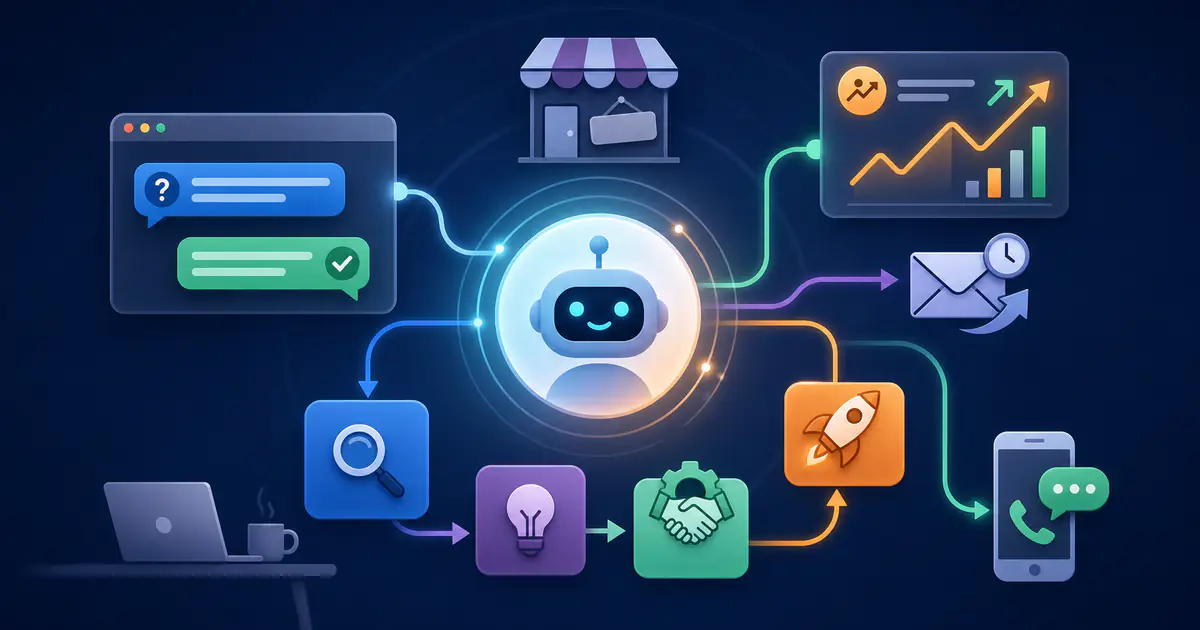
You don’t need a stack of new tools or a giant AI team to pull this off. You need a simple, repeatable method that fits into the broader evolution of AI in business today, transforming digital marketing and software development.

That’s where the L.E.A.D. Framework for AI Chatbots comes in:

  • L – Learn the Journey: Map where AI chatbots and virtual assistants create real value.
  • E – Engineer Conversations: Design assistants that actually help, not annoy.
  • A – Activate Across Channels: Deploy AI chatbots where customers already are.
  • D – Dial In Performance: Measure, optimize, and govern your assistants like real teammates.

By the end of this guide you’ll also get a one-glance L.E.A.D. checklist you can copy straight into your project doc or task manager.

This article is written for founders, solo entrepreneurs, and small teams who want to:

  • Improve Customer Service without hiring an army.
  • Use AI chatbots and virtual assistants to generate more and better leads.
  • Create a practical, low-drama roadmap for implementation.

What We Mean by “AI Chatbots” and “Virtual Assistants”

Before you invest time, budget, or reputation in this, let’s get our terminology straight.

What Are AI Chatbots?

When we talk about AI chatbots, we mean conversational interfaces powered by advanced language models that can:

  • Understand natural questions (not just button clicks or rigid menus).
  • Respond in real time.
  • Pull information from your docs, help center, or systems.
  • Live in places like:
    • Your website (e.g., pricing, product, or help pages).
    • Your web app or SaaS product.
    • Embedded widgets in channels like WhatsApp, Messenger, or SMS.

Think of them as your front-line digital greeters and first responders.

What Are Virtual Assistants?

Virtual assistants go one step further.

They’re still AI chatbots at the core, but with deeper capabilities:

  • Work across multiple channels (web, app, messaging, maybe even email summaries).
  • Access account or order data (“What’s my plan?”, “Where’s my shipment?”).
  • Trigger workflows in your CRM, support platform, or billing system.
  • Help internal teams answer faster, not just customers.

You can think of them as junior teammates who never sleep, never get bored of password resets, and never complain about time zones.

Why You Should Treat Them as One Integrated Experience

AI chatbots and virtual assistants often get treated as separate tools:

  • “We have a chatbot on the homepage.”
  • “We built a support assistant in the help center.”
  • “Sales uses a scheduling bot.”

The real magic happens when you design them as one integrated experience, with:

  • A shared brain (knowledge sources and rules).
  • Consistent tone and boundaries.
  • Shared data across support, marketing, and sales.

That’s when every interaction—support or sales—feeds your funnel instead of sitting in a silo.


Why AI Chatbots Are Now a Revenue Channel (Not Just a Cost Saver)

For years, chatbots were the “voicemail of the website.”

They popped up, asked for an email, made you pick from clunky menus, and eventually dumped your message into a black hole. You never knew if anyone read it.

That era is over.

Today, well-designed AI chatbots can:

  • Solve a large share of repetitive support questions.
  • Qualify, score, and route leads in real time.
  • Guide visitors to the right product, plan, or content.
  • Capture context that sales and success teams can use later.

From Digital Form to Digital Sales Ally

Imagine this scenario:

It’s 10:43 PM. A visitor hits your pricing page from a Google Ads campaign.

If you’re also thinking about how to improve the effectiveness of that spend, explore frameworks such as AI for optimized ad placement (AIM-PACT framework) to align smarter media buying with your chatbot strategy.

A smart virtual assistant can:

  1. Recognize they came from a specific campaign or keyword.
  2. Ask 2–3 intelligent, low-friction questions:
    • “How big is your team?”
    • “Are you mostly interested in [Feature A] or [Feature B]?”
    • “When do you plan to make a decision?”
  3. Recommend a plan based on their answers.
  4. Offer to:
    • Book a demo with the right rep.
    • Start a free trial.
    • Send a tailored comparison or case study.

That’s not a “nice extra.” That’s the difference between a curious browser and a qualified pipeline opportunity.

The New Goal for Founders and SMB Teams

Your target isn’t just “We installed a chatbot.”

Your goal is to turn AI chatbots and virtual assistants into front-line partners for both:

  • Customer Service (fewer tickets, faster support, happier customers), and
  • Lead Generation (more qualified leads, more context for reps, higher conversion).

The L.E.A.D. Framework is your roadmap to do this without chaos.


The L.E.A.D. Framework for AI Chatbots

Here’s the big picture before we dive into each step.

  • L – Learn the Journey Understand your key customer and lead flows. Identify exactly where AI chatbots create value, instead of spraying bots everywhere.
  • E – Engineer Conversations Design conversations that feel natural, stay on-brand, and either solve the problem or smoothly escalate to humans.
  • A – Activate Across Channels Put AI chatbots on high-intent pages and channels your customers already use: website, in-app, messaging, and even internal tools.
  • D – Dial In Performance Measure what matters, review conversations, coach the assistant, and keep governance tight.

We’ll walk through each step with examples, stories, and concrete actions you can assign to your team.


Step 1 – Learn the Journey: Map Where AI Chatbots Actually Help

Here’s a blunt truth:

AI chatbots don’t fix a broken customer journey. They just reveal the cracks faster.

Most teams start with tools:

  • “Which platform should we use?”
  • “Which AI model is best?”
  • “How do we integrate with our CRM?”

Those questions matter, but not first.

Your first job as a founder or leader is to understand where customers get stuck today and where AI can actually make a difference.

Start With Two Simple Journeys: Support and Sales

You don’t need a design degree or a 50-slide journey map.

For most small and mid-sized businesses, you can start with two basic flows on a whiteboard or digital board:

1. Customer Service Journey

  1. Discover your brand (ad, referral, search, content—often supported by AI in content marketing).
  2. Sign up, buy, or onboard.
  3. Start using your product or service.
  4. Hit confusion, friction, or a problem.
  5. Seek help (search, email, chat, phone, social).
  6. Get a response.
  7. Issue is resolved—or not.

2. Lead Generation Journey

  1. Discover your brand or content.
  2. Show intent (pricing page, product page, trial signup, contact form).
  3. Need clarity, reassurance, or proof.
  4. Interact with sales or self-serve touchpoints.
  5. Convert into a customer—or disappear.

Now, for each step, ask:

“What questions show up here again and again?”

This one question is gold.

  • The answers reveal patterns.
  • Patterns reveal opportunities for AI chatbots.

Capture those recurring questions from:

  • Support inbox and tickets.
  • Sales call notes and CRM.
  • Live chat transcripts.
  • Comments and DMs on social channels.

Identify “High-Volume, Low-Emotion” Moments First

AI chatbots shine in “high-volume, low-emotion” situations.

These are questions customers want answered quickly, where they don’t need deep empathy—just clarity.

Examples in Customer Service:

  • “How do I reset my password?”
  • “Where is my order?”
  • “How do I change or cancel my plan?”
  • “What does this feature do?”
  • “How do I update my billing details?”

Examples in Lead Generation:

  • “Which plan works best for a small team?”
  • “Do you integrate with [Tool X]?”
  • “Do you offer monthly billing?”
  • “Can I try this without a credit card?”
  • “How long does onboarding take?”

These are prime candidates for AI chatbots because:

  • The answers are repeatable.
  • The risk is low.
  • The value to the customer is speed and convenience.

Your first wins—and your internal credibility—come from automating these moments.

Simple Prioritization Grid

Take your list of recurring questions and mark each with:

  • H or L – High or Low volume.
  • H or L – High or Low emotional impact.

Target these first: High volume + Low emotion (H + L)

Examples:

  • “Reset password” — H volume, L emotion.
  • “Where is my order?” — H volume, L emotion (unless delayed or lost).
  • “Does this integrate with Slack?” — H volume, L emotion.

Use “Time-to-Response” as a Compass

Next, look at how long customers currently wait for help at different stages:

  • How long for a first reply on email?
  • How long to get someone on live chat?
  • How long between “Request a demo” and an actual conversation?
  • How long to receive basic answers from your team?

Anywhere the realistic answer is “hours” or “days”, you have a candidate for an AI chatbot or virtual assistant.

Typical hotspots:

  • Evenings and weekends when no one is staffing chat.
  • Time zones outside your main region.
  • High-traffic campaigns where your team can’t keep up.
  • Busy launch periods.

You don’t need perfect automation. You need a meaningful improvement over “We’ll get back to you tomorrow.”

Story: The SaaS Company Drowning in “Quick Questions”

A mid-market SaaS company felt like it was always underwater.

  • Support queues backed up.
  • Customers complained about slow replies.
  • The team felt burnt out.

But when they analyzed their ticket data, they discovered something shocking:

41% of all tickets came from just 15 recurring questions.

Most were simple “how-to” questions or basic billing issues.

Instead of hiring more agents immediately, they:

  1. Built a first AI chatbot for Customer Service focused on those 15 questions.
  2. Connected it to a curated part of their help center.
  3. Let the assistant:
    • Answer those FAQs.
    • Surface key configuration links.
    • Escalate complex issues to humans with context attached.

Within a few days:

  • The “quick question” tickets dropped sharply.
  • First response time improved.
  • Agents had more time for complex, high-value problems.

They didn’t change their product. They simply learned the journey and let a virtual assistant handle the repetitive front line.

Workshop: A 2-Hour “Learn the Journey” Sprint

Before touching a chatbot configuration screen, run a short workshop with people from:

  • Support / Customer Service
  • Sales
  • Marketing
  • (Optional) Product or Operations, if relevant

In 2 hours, you can:

  1. Map the Customer Service and Lead Generation journeys on a whiteboard.
  2. List the top 20–30 recurring questions from each team.
  3. Mark H/L volume and H/L emotion for each.
  4. Identify your top 5 high-intent pages (e.g. pricing, checkout, trial signup, key feature pages, help center).
  5. Highlight your best early chatbot opportunities.

Action Step: Create a shared doc called “AI Chatbot – Journey & FAQ Map” and fill it in during this workshop. This becomes your foundation for the rest of the L.E.A.D. Framework.


Step 2 – Engineer Conversations: Designing AI Chatbots That Serve and Sell

Most customers don’t hate AI chatbots. They hate bad conversations.

  • The bot that ignores what you typed.
  • The one that traps you in menus.
  • The one that insists on five questions before answering anything simple.

If your AI chatbot behaves like a scripted answering machine, people will spam “agent” or close the window.

If it feels like a helpful virtual assistant, customers will gladly engage—even knowing it's not human.

The difference is conversation design, not buzzwords.

Give Your AI Chatbot a Clear Role and Persona

Start by defining the assistant’s purpose in one crisp sentence.

Examples:

  • “I help customers solve common issues and find the right help article.”
  • “I help visitors understand pricing and pick the right plan.”
  • “I help prospects book time with the right sales rep based on their needs.”
  • “I help existing customers troubleshoot common issues and know when to escalate.”

Then, add a light persona:

  • Tone: friendly, professional, or playful?
  • Formality: “Hi there” vs. “Good afternoon, how can I help?”
  • Pace: concise or more explanatory?
  • Boundaries: what it will and will not answer.

This might sound soft, but it matters:

  • A clear role ensures focused, consistent conversations.
  • A defined tone keeps the experience on-brand across channels.
  • Boundaries protect you from risky or off-topic answers.

You’re turning a general AI model into your brand’s AI assistant.

Set Guardrails: What the Assistant Should and Shouldn’t Do

Next, define guardrails so your AI chatbot doesn’t “wing it” in dangerous territory.

Your AI chatbot / virtual assistant should:

  • Answer only from approved knowledge sources (help center, docs, policies).
  • Ask for clarification when uncertain, instead of guessing.
  • Escalate sensitive topics quickly (billing disputes, security, legal, health, etc.).
  • Stay within brand, legal, and compliance guidelines.
  • Be transparent: clearly present itself as an AI assistant.

Your AI chatbot should not:

  • Invent policies, discounts, or prices.
  • Provide legal, financial, or medical advice.
  • Change account details without secure verification.
  • Argue with customers or get stuck in loops.
  • Pretend to be human.

Most modern platforms allow you to encode these as instructions, policies, or system prompts. Use them. This is where you control risk.

Design Conversational Flows Around “Jobs,” Not Menus

Old-school bots forced users through rigid decision trees:

“Press 1 for billing. Press 2 for support…”

AI chatbots handle real language, but they still benefit from a light conversational structure.

Think in terms of jobs to be done—each interaction is a “job” your customer wants the assistant to handle:

  • “Help me fix an issue.”
  • “Help me understand pricing.”
  • “Help me check my order status.”
  • “Help me book a call or demo.”
  • “Help me decide if this is right for my situation.”

For each job, sketch a simple flow:

  1. Greeting & Intent Detection
    • “Hi, I’m your AI assistant. What can I help you with today?”
    • Or a targeted greeting based on the page:
      • “Comparing plans? I can help you pick one in under a minute.”
  2. Clarifying Questions
    • “Got it—can you tell me your order number?”
    • “How many team members will use this?”
    • “Are you using [Tool X] today?”
  3. Answer or Action
    • Provide a tailored answer, link to help articles, or perform an action (e.g., fetch order status).
  4. Follow-up & Close
    • “Does this solve your question?”
    • “Do you want to schedule a quick call to go deeper?”

This backbone keeps conversations efficient while still allowing users to type freely.

Example: An AI Chatbot for Order Tracking

Let’s revisit a retail example.

On an order status page, a Customer Service AI chatbot might handle:

Bot: “Hey! I can help you track your order. Do you have your order number handy?”

User: “Yes, it’s #10483.”

Bot: “Thanks, I’ll check that now.”

(Behind the scenes, the virtual assistant calls your order tracking API.)

Bot: “Your order #10483 shipped yesterday and is due to arrive on Thursday. Here’s your tracking link: [link]. Would you like help with returns, exchanges, or anything else?”

No ticket needed. No agent involved. The user feels supported, and the team stays free for complex cases.

Story: How One Startup Turned Its AI Chatbot into a Sales Ally

A B2B analytics startup noticed visitors were spending time on their pricing page but rarely converting.

Instead of just tweaking copy, they launched a sales-focused AI chatbot with one mission:

“Help visitors figure out if this product fits and which plan is best.”

The assistant asked three simple, high-signal questions:

  1. “How many people will use the product?”
  2. “Do you need advanced integrations like [Tool A] or [Tool B]?”
  3. “How soon are you planning to implement a solution?”

Based on answers, the virtual assistant would:

  • Recommend the best-fit plan.
  • Surface a relevant case study (e.g., “Teams your size usually start with…”).
  • Offer to:
    • Book a demo, or
    • Share a 5-minute product tour.

Results:

  • More visitors moved from “lurking” to “talking to sales.”
  • Reps got richer context before each call.
  • The assistant became a quiet but powerful lead generation engine.

Practical Exercise: Script 3–5 Key Conversations

Pick your top jobs to be done from Step 1 and, for each one, write a short script:

  • Greeting
  • 1–3 clarifying questions
  • Example answer or action
  • Follow-up question

Action Step: Create a doc titled “AI Chatbot Conversation Scripts – v1” and draft 3–5 flows. Treat it like a short play. Then hand it to whoever will configure the assistant in your platform.


Step 3 – Activate Across Channels: Put AI Chatbots Where Customers Already Are

A powerful AI chatbot stuck on a single page is like your best sales rep locked in a broom closet.

If you only deploy the assistant on your homepage, you miss the moments where intent and frustration are highest—like pricing, signup, in-product onboarding, or high-stakes support pages.

Start thinking of your assistant as an omnichannel teammate.

Start With High-Intent Pages

Don’t try to “AI-ify” your entire site on day one. Begin where motivation is strongest and where a helpful nudge changes outcomes.

Common high-intent candidates:

  • Pricing page: Answer plan questions, handle objections, help compare options.
  • Product / Feature pages: Explain use cases, integrations, and ROI.
  • Checkout / Signup flows: Clear friction, handle last-minute doubts, reduce drop-off.
  • Help center & FAQ: Offer fast answers, summarize articles, and escalate when needed.
  • Contact / “Talk to Sales” pages: Replace generic forms with a conversational intake.

On each page, tailor the assistant’s greeting and prompts:

  • Pricing:“Comparing plans? I can help you decide in under a minute.”
  • Help center:“Tell me what you’re trying to do, and I’ll suggest the best article or next step.”
  • Checkout:“Need help with shipping, payment, or discounts? Ask me anything before you place your order.”

Extend Your AI Chatbots into Messaging and Social Channels

Customers increasingly expect answers inside the channels they already use:

  • WhatsApp or SMS
  • Facebook Messenger or Instagram DMs
  • In-app mobile chat
  • Slack or Teams (for B2B / internal use)

Good news: you don’t need a separate brain for each.

You can use one central AI assistant and connect it to different channels, customizing:

  • Greetings
  • Timeouts
  • Escalation paths
  • Tone (slightly more casual in WhatsApp, more formal in LinkedIn or email-like flows)

Example: B2B Slack-Based Assistant

A B2B SaaS company might:

  • Use a public-facing AI chatbot on their website for prospects.
  • Use a Slack-based virtual assistant for internal teams that:
    • Checks key account stats (MRR, plan, last activity).
    • Summarizes recent support tickets.
    • Drafts responses or updates for customer success.
    • Preps a quick briefing before customer meetings.

Same AI core, different roles depending on context.

Integrate AI Chatbots with CRM and Support Tools

Your AI chatbot becomes truly powerful when it talks to your existing systems.

At a minimum, target integrations with:

  • Support / ticketing tools (Zendesk, Freshdesk, Help Scout, etc.):
    • Create tickets when issues need human attention.
    • Attach the conversation context so agents don’t start from scratch.
  • CRM (HubSpot, Pipedrive, Salesforce, etc.):
    • Log conversations as activities.
    • Update lead fields (company size, use case, urgency).
    • Assign owners and stages based on chatbot qualification.
  • Marketing automation tools:
    • Add prospects to relevant nurture flows based on what they asked about.
    • Update tags and segments (e.g., “Integration-interested,” “Churn risk,” “Upsell opportunity”).
  • Billing / account systems:
    • Show plan information, renewal dates, and limits.
    • Trigger upgrade flows or connect to billing support.

This turns every chat into structured, reusable data, rather than a one-off dialog.

When a lead books a call through the bot, the sales rep should see:

  • Pages visited.
  • Questions asked.
  • Answers provided by the assistant.
  • Any objections or concerns the prospect raised.

That context is gold.

Story: The Ecommerce Brand Turning Late-Night Chats into Leads

An ecommerce brand noticed something interesting in their analytics:

  • A big chunk of traffic arrived after 7 PM.
  • These visitors browsed multiple products but rarely purchased.
  • Many never came back.

Previously, the only option was a generic “Leave your email” form. Almost no one used it.

The brand rolled out an AI chatbot across:

  • Product pages
  • Cart pages
  • Their help center

The virtual assistant could:

  • Explain return policies clearly.
  • Answer questions about sizing, materials, and shipping times.
  • Offer “Save for later” wishlists and collect email addresses.
  • Capture product preferences and abandoned carts, then pass them into their email platform.

Within a few weeks:

The assistant didn’t “hard sell.” It simply removed friction and captured leads that previously vanished.

Quick Channel Activation Checklist

Action Step: List your top 5 high-intent pages or channels and, for each, define:

  1. Role of the AI assistant
    • (e.g., “Help pick a plan”, “Handle order questions”, “Qualify demo requests”)
  2. Greeting message
    • Keep it specific to the page.
  3. Primary actions
    • Answer questions, collect contact details, book demos, etc.
  4. Where the data goes
    • Which fields are updated in your CRM or support tool?
    • Who gets notified, and how?

This becomes your Activation Plan for Step 3.


Step 4 – Dial In Performance: Measure, Optimize, and Govern Your AI Chatbots

Launching an AI chatbot is not the finish line.

Once it’s live, the real work begins.

You wouldn’t hire a sales rep and never:

  • Check their performance,
  • Listen to their calls, or
  • Give them coaching.

Your AI chatbots and virtual assistants deserve the same ongoing attention—especially if they’re representing your brand 24/7.

Define Clear Metrics for Customer Service and Lead Generation

Avoid vanity metrics like “Number of conversations” without context.

Instead, choose metrics that matter for your business.

For Customer Service

Track:

  • Deflection rate
    • Percentage of conversations resolved by the assistant without human intervention.
  • Time to first response
    • How much faster customers get their first answer compared to previous channels.
  • Customer Satisfaction (CSAT)
    • Simple thumbs-up/down or a 1–5 rating post-chat.
  • Escalation quality
    • Do agents receive the right context and categorization when the assistant hands off?

For Lead Generation

Track:

  • Engagement rate
    • Percentage of visitors who interact with the assistant at all.
  • Lead qualification rate
    • Percentage of conversations that become marketing-qualified (MQL) or sales-qualified (SQL) leads.
  • Conversion events
    • Calls booked, demos requested, trials started, content downloaded.
  • Lead quality feedback
    • Sales input: Are bot-generated leads worth the time? Do they convert?

Pick 3 core metrics for support and 3 for growth to start. You can always expand later.

Make Conversation Reviews Your Coaching Ritual

Numbers show what is happening. Conversation transcripts show you why.

Schedule a weekly or bi-weekly review with people from:

  • Support
  • Sales
  • Marketing
  • (Optional) Product

In each session:

  1. Sample real conversations from the AI chatbot.
  2. Tag them as:
    • “Great” (we want more of this)
    • “Okay” (works, but could be smoother)
    • “Needs work” (off, confusing, or risky)
  3. Look for patterns:
    • Are customers asking questions the bot can’t answer?
    • Where does the assistant sound robotic or repetitive?
    • Are there missed opportunities for gentle upsells or qualification?
    • Does escalation happen at the right moments?
  4. Translate insights into action:
    • Add or refine FAQs in your knowledge base.
    • Improve prompts, instructions, or guardrails.
    • Add intent detection rules.
    • Expand integration points (e.g., access more data via APIs).

This is your “assistant coaching program.”

Build Feedback Loops for Human Agents

Your team on the front lines sees the real impact of AI chatbots day to day.

Make it easy for them to contribute:

  • A simple “Flag this conversation” option in your tool.
  • A dedicated Slack/Teams channel like #bot-feedback.
  • A quick internal form:
    • “What did the assistant do?”
    • “What should it do instead?”
    • “What info is missing?”

Someone (you, a product owner, or a “bot manager”) should review this weekly and decide:

  • What gets fixed now.
  • What becomes part of the roadmap.

Story: From “Bot Hater” to “Bot Coach”

At one company, a senior support agent was openly skeptical:

  • “This chatbot will just create more mess.”
  • “It’ll confuse customers and we’ll fix it all anyway.”

Instead of excluding him, the team invited him in.

They asked him to:

  • Review a batch of transcripts weekly.
  • Tag bad answers and suggest better versions.
  • Identify where escalation should happen sooner.
  • Propose new FAQs based on customer language.

Within a month:

  • The assistant’s answers improved.
  • Escalations got cleaner.
  • Customers were happier.

The agent went from “bot hater” to proudly calling himself the “Bot Coach.” The assistant didn’t replace him—it amplified his expertise.

Don’t Skip Governance: Compliance, Ethics, and Brand Safety

As your AI chatbot handles more traffic, governance becomes critical, especially in regulated industries.

Define clear rules around:

  • Data access
    • Which systems and fields can the assistant read?
    • Which (if any) can it write to or update?
  • Data retention
    • How long do you store chat logs?
    • Who can access them?
  • Sensitive topics and escalation
    • Billing disputes, fraud, health, security issues, etc.
    • The assistant should triage and escalate, not handle them end-to-end.
  • Regulatory requirements
    • Consent, privacy (e.g., GDPR-style requirements), and disclosures.

Also decide how you present the assistant:

  • “I’m your virtual assistant powered by AI.”
  • “I’m an AI chatbot that can help with X, Y, Z.”

Transparency helps customers feel respected rather than tricked.

Action Step: Write a one-pager called “AI Assistant Governance Guidelines” that covers data access, retention, escalation rules, and how you present the assistant to users.


How AI Chatbots Enhance Customer Service in Practice

Let’s zoom in on the Customer Service side.

AI chatbots are often feared as “agent replacements.” In reality, at most SMBs they’re:

Force multipliers that free humans to handle complex, emotional, and high-value work.

Faster Responses for Simple Issues

Customers usually care more about speed and clarity than about who (or what) answers.

AI chatbots can:

  • Handle common questions instantly.
  • Surface relevant help articles or snippets.
  • Walk users through step-by-step troubleshooting.
  • Collect context for agents when a handoff is required.

Example for a SaaS product:

  1. User asks: “I can’t log in.”
  2. Assistant asks:
    • “Do you see an error message?”
    • “Have you tried resetting your password?”
  3. Assistant offers:
    • A direct reset link.
    • A short explanation of common login issues.
  4. If that fails, the assistant:
    • Collects basic details (browser, device, screenshots).
    • Creates a ticket with the full conversation.
    • Routes it to the right support queue.

The human agent skips the basic scripted questions and jumps straight into advanced troubleshooting.

24/7 Availability Without Burnout

As a founder or small team, you might be:

  • Serving multiple time zones.
  • Running campaigns that spike traffic at odd hours.
  • Unable to staff round-the-clock support.

AI chatbots give you always-on coverage for:

  • Overnight visits.
  • Weekends.
  • Busy launch days.

They can:

  • Answer FAQs.
  • Reassure customers about shipping and policies.
  • Log issues that need follow-up.
  • Prevent minor frustrations from becoming churn.

You don’t have to replace live human support. You simply extend your capability.

Personalized Answers Instead of Static FAQs

Static FAQ pages often feel like walls of text.

AI chatbots can adapt answers using context like, bringing the promise of personalization in marketing directly into every support interaction:

  • Account type or plan.
  • Language or location.
  • Which page the user is on.
  • Previous conversations or tickets.

Example:

User: “How do I increase my limits?”

The assistant might:

  • Detect the user’s current plan.
  • Share the exact limits tied to that plan.
  • Highlight upgrade options relevant to their usage.
  • Offer a one-click link to upgrade or talk to sales.

This transforms generic FAQ content into a tailored mini-consultation.

Story: Turning a Help Center into a Conversational Experience

A mid-sized B2B company had spent months building a help center.

Yet:

  • Customers didn’t use it.
  • Tickets kept piling up.
  • The same questions resurfaced.

They deployed an AI chatbot on their help pages with a simple rule:

The assistant must always try to answer using help center content first.

The chatbot:

  • Interpreted user questions.
  • Summarized the most relevant article in 2–3 sentences.
  • Linked directly to the exact paragraph that mattered.
  • Escalated when it couldn’t find a match.

Within weeks:

  • More users found answers on the first try.
  • Ticket volume dropped.
  • CSAT went up.

The help center itself didn’t change much. The interface to it did.

Quick Service Improvement Plan

Action Step:

  1. Identify your top 30 help articles and FAQs.
  2. Make sure they’re:
    • Current,
    • Clear, and
    • Structured (headings, bullet lists, step-by-step instructions).
  3. Connect your AI assistant to these as its primary knowledge base.
  4. Review conversations weekly and update articles where confusion remains high.

How AI Chatbots Drive Lead Generation and Revenue

Now let’s talk about the side every founder cares about: growth.

A well-designed AI chatbot can become one of your most reliable lead generation channels, especially when:

  • You rely on inbound traffic.
  • Your team is small.
  • You need to qualify leads before jumping on calls.

Not by replacing human sellers, but by:

  • Engaging visitors earlier.
  • Qualifying them more consistently.
  • Handing them off at the right moment with rich context.

Turning Anonymous Visitors into Known Leads

Most visitors do not:

  • Fill out forms.
  • Book demos on their first visit.
  • Read every line on your pricing page.

They skim, get mildly interested, then leave.

AI chatbots can interrupt that pattern in helpful, low-pressure ways:

  • “Not sure which plan fits? I can help you decide in about a minute.”
  • “Tell me a bit about your team, and I’ll pull a relevant case study.”
  • “Want a personalized walkthrough? I can book it for you.”

During these conversations, your virtual assistant collects:

  • Name and email.
  • Company or industry.
  • Team size or role.
  • Goals or use cases.
  • Timeline and urgency.

That’s not just “a lead.” That’s a well-structured lead profile.

Real-Time Lead Qualification and Routing

Traditional forms dump everyone into the same bucket.

AI chatbots can perform dynamic, conversational lead qualification, asking questions aligned with your criteria:

  • Budget (direct or indirect).
  • Authority (decision-maker vs. researcher).
  • Need (specific problem they want to solve).
  • Timing (now vs. next quarter).

Example:

Prospect: “We’re evaluating tools this month for a team of 50.”

The assistant can:

  • Tag them as high priority.
  • Ask whether they want to speak to sales this week.
  • Offer:
    • Live chat with a rep if available, or
    • Direct booking into the rep’s calendar.

Less urgent or lower-fit leads might:

  • Receive a helpful guide.
  • Be invited to a group demo or webinar.
  • Join a nurture sequence instead of getting a 1:1 call immediately.

Using AI Assistants as Interactive Product Tours

Once prospects become users (even trial users), your job shifts to activation and retention.

In-app AI assistants can act as onboarding coaches:

  • Suggest the next best action: “Most new users start by connecting their data source.”
  • Answer “How do I do X?” without forcing users to leave the product.
  • Trigger short tutorials or walkthroughs.
  • Capture friction points and send them to product teams.

This reduces:

  • Trial drop-off.
  • Confusion during setup.
  • Support tickets for basic onboarding steps.

And it increases:

  • Time-to-value.
  • Conversion from trial to paid.
  • Long-term customer success.

Story: Replacing Static Demo Forms with a Conversational Tour

A B2B company used a traditional “Request Demo” form:

  • Name
  • Email
  • Company
  • Message (optional)

The problem:

  • Many visitors bounced before submitting.
  • Those who did submit often wrote unhelpful messages like “Just curious.”

They replaced it with a conversational AI assistant on the same page.

The assistant:

  1. Asked about use case and team size.
  2. Based on responses, suggested:
    • A tailored self-serve demo, or
    • A live 1:1 session.
  3. Collected key details for the rep.
  4. Let visitors choose a time that worked, syncing with the team’s calendar.

The result:

  • More demos booked.
  • Better show-up rates.
  • Higher-quality conversations, because reps knew the context before joining.

Lead Gen Optimization Checklist

Action Step:

Audit every place you currently ask for contact details:

  • Contact forms
  • Demo requests
  • Newsletter signups
  • Content download gates

For at least one high-value form, replace it with an AI chatbot-powered conversation that:

  • Provides immediate value (recommendation, resource, or next step).
  • Asks just enough questions to qualify leads.
  • Hands off to your CRM and sales team automatically.

Implementation Blueprint: From Idea to Live AI Chatbot in 4 Weeks

It’s easy to get stuck in planning mode.

To move from theory to working assistant, treat this like a simple 4-week project.

Week 1 – Discovery and Journey Mapping (L – Learn the Journey)

Goals:

  • Understand your key journeys.
  • Identify where AI chatbots can help.
  • Align stakeholders.

Key tasks:

  • Run the 2-hour workshop with support, sales, and marketing.
  • Map the customer service and lead gen journeys.
  • List top 20–30 recurring questions.
  • Mark high-volume, low-emotion candidates.
  • Identify top high-intent pages and channels.

Deliverable:

  • A prioritized list of:
    • Use cases, and
    • Locations (pages/channels) for your first AI chatbot deployment.

Week 2 – Conversation Design & Knowledge Prep (E – Engineer Conversations)

Goals:

  • Design conversations.
  • Prepare your content and rules.

Key tasks:

  • Define the assistant’s role in one sentence.
  • Set the persona (tone, formality, boundaries).
  • Draft 3–5 conversation flows for your top jobs.
  • Clean and structure your knowledge sources:
    • FAQs
    • Help center articles
    • Product docs
    • Policy pages
  • Decide escalation rules and handoff paths.
  • Loop in legal/compliance for guardrails in regulated environments.

Deliverables:

  • Conversation flow doc (v1).
  • Knowledge base ready for the assistant.
  • Clear “do / don’t do” guardrails.

Week 3 – Build, Integrate, and Test (A – Activate Across Channels)

Goals:

  • Configure your AI chatbot.
  • Connect it to key tools.
  • Launch a pilot.

Key tasks:

  • Configure your AI chatbot in your chosen platform.
  • Connect integrations:
    • Support/ticketing
    • CRM
    • Calendar (for demos or calls)
    • Optional: billing or product APIs
  • Deploy a pilot on one or two high-intent pages (e.g., pricing and help center).
  • Run internal tests:
    • Ask real questions your customers ask.
    • Verify answers, escalation, and data logging.
  • Fix obvious issues.
  • Adjust greetings and prompts based on early behavior.

Deliverables:

  • A live pilot AI chatbot on high-impact touchpoints.
  • At least 1 integration feeding your CRM or support system.

Week 4 and Beyond – Measure, Coach, and Expand (D – Dial In Performance)

Goals:

  • Learn from real usage.
  • Improve the assistant.
  • Plan expansion.

Key tasks:

  • Set baseline metrics from the first weeks:
    • Deflection rate
    • Time to first response
    • Leads captured
    • Conversion events
  • Schedule weekly conversation review sessions.
  • Establish an agent feedback loop (Slack channel, form, or tagging).
  • Add coverage for more questions, flows, or pages.
  • Document governance rules and ownership:
    • Who owns content updates?
    • Who owns integrations?
    • Who signs off on major changes?

Deliverables:

  • A continuously improving AI assistant.
  • A simple internal “AI Assistant Playbook” documenting how it works and how to change it.

Action Step: Create a project doc called “AI Chatbot L.E.A.D. Plan” with these four weeks as headers. Add owners and dates to each bullet and treat it like a real product initiative, not an experiment.


Common Mistakes to Avoid with AI Chatbots and Virtual Assistants

Even smart teams fall into predictable traps. Avoiding these can save you months of frustration.

Mistake 1: Treating the Assistant Like a One-Off Campaign

If you treat your AI chatbot like a temporary campaign, chances are:

  • It won’t be maintained.
  • It won’t improve.
  • It won’t earn trust.

Instead, treat it as a core part of your customer experience.

Do this by:

  • Assigning a clear owner (or small squad).
  • Giving it a basic roadmap: what you’ll improve over the next 3–6 months.
  • Budgeting time for ongoing training and review.

Mistake 2: Over-Automating High-Emotion Moments

Not every interaction should start with a bot.

Examples of high-emotion, high-sensitivity topics:

  • Suspected fraud or security issues.
  • Complaints after a really bad experience.
  • Sensitive topics (in finance, healthcare, insurance, etc.).
  • Cancellations from long-term customers.

In these cases, the assistant’s role is to:

  1. Recognize the topic quickly.
  2. Capture basic info.
  3. Escalate to a human agent as fast as possible.

Write explicit rules so your AI chatbot treats these situations with extra care.

Mistake 3: Leaving Sales Out of the Loop

Lead generation assistants fail when sales teams aren’t involved.

If reps:

  • Don’t trust AI-qualified leads.
  • Don’t see chat history in the CRM.
  • Don’t understand how leads reached them.

They’ll treat bot leads as second-class.

Fix this by:

  • Involving sales early in designing questions and qualification criteria.
  • Making chatbot data visible in your CRM.
  • Agreeing on what makes a “sales-ready” lead.
  • Asking sales for regular feedback on lead quality.

Mistake 4: Ignoring Internal Assistants

Most companies start with customer-facing chatbots and stop there.

But internal virtual assistants can be just as powerful:

  • Suggest responses to agents in real time.
  • Summarize long email threads or tickets.
  • Surface relevant docs and troubleshooting guides during calls.
  • Help sales prep for meetings.

An internal AI assistant that saves each agent or rep a few minutes per interaction adds up quickly.

Mistake 5: Failing to Set Expectations with Users

Frustration often comes from mismatched expectations.

If customers think the assistant can do everything, they’ll be disappointed.

Simple fix: at the start of the conversation, clearly explain what the assistant can and cannot do.

Example greeting:

“I’m your AI assistant. I can help with common questions about plans, billing, and basic troubleshooting. If you need deeper help or want to talk to a specialist, I’ll connect you to the team.”

This tiny clarification:

  • Reduces confusion.
  • Increases trust.
  • Gives the assistant permission to escalate when appropriate.

Action Step: Pick one mistake from this list that feels closest to home. Decide one concrete change you’ll make this week to address it.


Example AI Chatbot Use Cases Across Industries

To help you brainstorm, here are practical AI chatbot and virtual assistant ideas for different sectors.

SaaS and B2B Software

  • Answer technical questions from developers during trials.
  • Help admins set up integrations (Slack, CRM, payment gateways).
  • Guide prospects from pricing pages to tailored packages.
  • Suggest onboarding tasks for new teams.
  • Summarize product updates and release notes.

Ecommerce and Retail

  • Handle order tracking, returns, and exchanges.
  • Answer common questions about sizes, materials, and shipping times.
  • Recommend products based on browsing history.
  • Capture emails and preferences (“style profile”) for future campaigns.
  • Offer post-purchase support (“How do I assemble this?”).

Finance, Insurance, and Professional Services

  • Explain complex products or policies in plain language.
  • Pre-qualify leads with eligibility or risk questions.
  • Help existing clients understand their statements or invoices.
  • Route high-value inquiries directly to advisors.
  • Provide appointment scheduling and reminders.

(Always work within strict compliance rules and escalate sensitive questions.)

Healthcare and Wellbeing (Within Strict Boundaries)

  • Provide basic information about services and logistics:
    • Opening hours
    • Locations
    • How to prepare for appointments
  • Help patients book, reschedule, or cancel appointments.
  • Share non-sensitive pre-visit instructions and general FAQs.
  • Immediately escalate any questions that resemble an emergency, diagnosis, or treatment advice.

Local Services (Agencies, Trades, Clinics, Studios)

  • Answer “Do you serve my area?” questions.
  • Quote basic pricing ranges (with clear disclaimers).
  • Schedule discovery calls or on-site visits.
  • Capture lead info from late-night or weekend visitors.
  • Send follow-up reminders or preparation checklists.

Action Step: Pick the industry closest to yours. Write down three AI chatbot use cases you could realistically test in the next three months—at least one for Customer Service and one for Lead Generation.

L.E.A.D. Framework Checklist for AI Chatbots

Here’s your one-glance checklist you can copy into your planning doc or project management tool (Asana, ClickUp, Notion, Trello, etc.).

L – Learn the Journey

  • Map your customer service journey from first contact to resolution.
  • Map your lead generation funnel from first visit to closed deal.
  • List your top 20–30 recurring questions across support and sales.
  • Mark each question with:
    • Volume: High (H) or Low (L)
    • Emotion: High (H) or Low (L)
  • Identify your H + L (high-volume, low-emotion) questions as early automation targets.
  • Identify your top 5 high-intent pages and channels (pricing, checkout, trial signup, key help pages).

E – Engineer Conversations

  • Define the AI chatbot’s primary role in one clear sentence.
  • Set a simple persona:
    • Tone (friendly, professional, playful)
    • Formality
    • Boundaries (what it can and cannot do)
  • Draft conversation flows for your top 3–5 jobs to be done.
  • Prepare and clean core knowledge sources:
    • FAQs
    • Help center articles
    • Product docs
    • Policies
  • Write escalation rules for sensitive or complex topics.
  • Capture guardrails for compliance and brand safety.

A – Activate Across Channels

  • Deploy the assistant on at least one high-intent page (e.g., pricing or help center).
  • Tailor greetings and prompts to each page and channel.
  • Integrate with your support tools to:
    • Log tickets
    • Attach chat context
  • Integrate with your CRM to:
    • Capture leads
    • Update fields (use case, company size, etc.)
    • Assign owners
  • Plan gradual expansion into additional channels:
    • In-app chat
    • WhatsApp / SMS
    • Social DMs
    • Internal tools (Slack, Teams)

D – Dial In Performance

  • Define success metrics for Customer Service:
    • Deflection rate
    • Time to first response
    • CSAT (customer satisfaction)
  • Define success metrics for Lead Generation:
    • Qualified leads created
    • Conversion events (calls booked, trials started)
    • Sales feedback on lead quality
  • Schedule weekly conversation review sessions with support, sales, and marketing.
  • Create a simple process for agents to:
    • Flag incorrect or unhelpful responses
    • Suggest new FAQs or flows
  • Document governance rules:
    • Data access and retention
    • Escalation rules for sensitive topics
    • How the assistant is presented (transparency)

Bringing It All Together

AI chatbots and virtual assistants are no longer experimental toys.

For founders, solo entrepreneurs, and growing SMB teams, they can become:

  • The first line of defense for repetitive Customer Service questions.
  • A gentle, always-on guide for visitors at every stage of their journey.
  • A consistent source of qualified leads and rich context for your sales team.

You don’t have to transform everything at once.

You can:

  1. Learn the Journey – Understand where customers and leads get stuck.
  2. Engineer Conversations – Script a few great flows that actually help.
  3. Activate Across Channels – Start on 1–2 high-intent pages, then expand.
  4. Dial In Performance – Measure, review, and coach your assistant over time.

Done well, your AI chatbots become exactly what they should be:

Trusted virtual assistants that keep customers happy, your team focused, and your pipeline full.

And that’s how you turn AI from a buzzword into a practical growth engine for your business. Discover how the Toklis Solutions can improve the digital marketing and software development in your business.