Mac Studio vs. Linux for Local LLMs: November 2026
Last verified: November 9, 2026; Mac Studio prices and order availability rechecked November 10, 2026. Prices below are US dollars before sales tax and delivery. This is a buying analysis based on published sources, not a TokLis hardware benchmark.
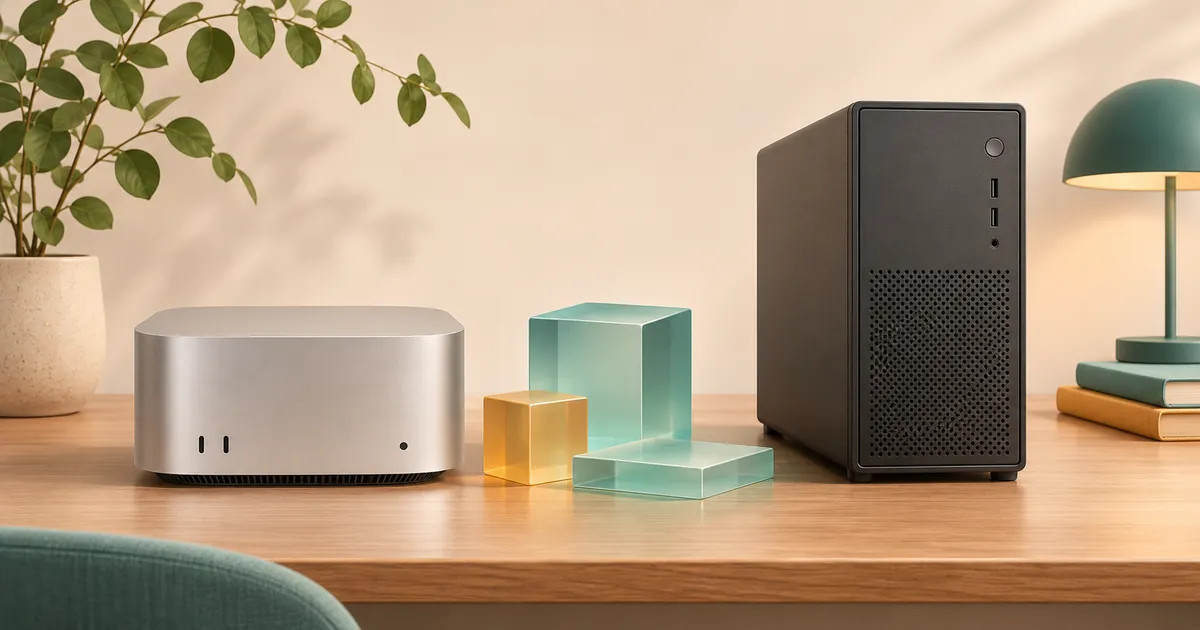
Choosing between Mac Studio and Linux for local LLMs starts with your actual tasks. For one person running a local assistant or coding agent, buy the smallest machine that passes them. Choose Mac Studio when you need a large amount of memory accessible to its graphics processor, prefer macOS, and can accept fixed hardware and the delivery date. Choose a Linux tower when your application needs NVIDIA's CUDA software, replaceable graphics cards, or a specific Linux serving stack. AMD deserves a place on the shortlist when its supported software runs your chosen model.
Those are different advantages. Memory determines which model and working context can fit. Response speed depends on the model, runtime, memory movement, and workload. Quality depends on whether the model produces correct, useful results. More memory alone establishes neither speed nor quality.
The checked prices do not justify spending $25,000 by default. A complete AMD workstation is $6,963; a configured RTX 5090 tower is $12,561. Framework's 192GB Linux desktop also belongs on the shortlist if you can wait for its quoted December batch. A 512GB Mac is a specialized capacity purchase, with stock uncertainty. Start with a smaller model before making that commitment.
Which Mac Studio are we comparing?
M5 Ultra is a confirmed product. Apple's August 25 announcement set September 22 as the start of availability. Its current specifications list a 30-core CPU/64-core GPU configuration and a 36-core CPU/80-core GPU option, with up to 512GB of unified memory and 1.2TB/s memory bandwidth. These are specifications, not tokens-per-second measurements. Apple announcement, technical specifications.
The following configurations were checked in the official Apple US Store on November 10, 2026. All use the 36-core CPU and 80-core GPU, and each price links to its exact Apple configuration:
| Mac Studio configuration | Apple Store price | Apple order availability |
|---|---|---|
| 96GB memory, 2TB SSD | $7,299 | Order available |
| 256GB memory, 2TB SSD | $11,299 | Order available |
| 512GB memory, 1TB SSD | $22,299 | Order available |
| 512GB memory, 4TB SSD | $23,799 | Order available |
An available order does not mean immediate shipment. Delivery estimates depend on the configuration and destination; confirm Apple's current estimate before paying.
The 96GB/2TB machine is the sensible Mac reference for the smaller models below. The 256GB version buys headroom for larger experiments. The 512GB model is for a demonstrated capacity requirement. A 1TB SSD is operational, but a roughly 500GB checkpoint leaves limited space for additional versions, downloads, and work. Two or four terabytes is easier to manage.
Storage should not inflate the comparison unnecessarily. Apple's 512GB/1TB configurator offers a $7,500 upgrade to 16TB: a calculated $29,799 configuration, without adding any model working memory. A 512GB Mac does not inherently require that spending.
These Macs run macOS. They include the computer's power supply and cord, with Thunderbolt 5 and 10Gb Ethernet connectivity. Their software environment differs from the Linux machines below. Leave memory for macOS, inference buffers, applications, and conversation state; do not allocate the entire advertised capacity to weights.
Memory: three separate purchasing questions
System RAM is the computer's general working memory. VRAM is memory attached to a separate graphics card. Unified memory, as used by Apple Silicon, lets the CPU and GPU access the same physical memory instead of maintaining separate pools.
Memory bandwidth describes how quickly data can move through that memory interface. Capacity is the size of a warehouse; bandwidth is how quickly its contents can reach the workers. This analogy explains why a roomy CPU-only server need not answer faster than a smaller graphics workstation.
Quantization stores model numbers at lower precision to reduce memory and computation requirements. A four-bit format is not necessarily four bits for every parameter: scales, metadata, and selected higher-precision tensors add space. Compression can also alter model behavior.
The context is the material available during a request, including instructions, conversation, documents, and generated tokens. The KV cache stores attention information used while processing that context. Other architectures retain different intermediate state too. Longer contexts and simultaneous requests require additional memory. Ollama context guidance.
In a mixture-of-experts, or MoE, model, only selected portions participate in each token's calculation. “Three billion active parameters” does not mean that a 35-billion-parameter model needs storage for only three billion.
A Linux tower with 128GB RAM and 96GB VRAM does not have one uniform 224GB accelerator pool. Software can place parts of a model in system memory, a process called offloading, but the CPU, transfer links, and scheduling then affect performance. llama.cpp's supported backends and hybrid inference.
Ask three questions independently: Can it load? Can it answer at a useful speed? Does it do the job well?
Complete Linux configurations at realistic budgets
The tower prices below are configured, assembled-system totals observed in System76's US configurators. They include the platform, operating system, graphics, memory, storage, case, cooling, and power supply. They are not GPU-only prices or independent component-cost estimates. Checkout taxes, delivery, and optional warranty extensions are excluded consistently. Monitors, keyboards, and backup power are also excluded.
| Complete system | Price | Graphics-accessible memory / separate RAM | Home-use trade-off |
|---|---|---|---|
| Thelio Mira AI, one Radeon AI PRO R9700 | $6,963 | 32GB VRAM / 64GB RAM | Lower entry price; validate AMD runtime support |
| Thelio Mira AI, two R9700 cards | $9,609 | 2×32GB VRAM / 64GB RAM | Requires model splitting or separate workers |
| Thelio Mira, one GeForce RTX 5090 | $12,561 | 32GB VRAM / 64GB RAM | CUDA compatibility; still a 32GB capacity limit |
| Thelio Mira AI, RTX PRO 6000 Blackwell Max-Q | $23,593 | 96GB VRAM / 128GB RAM | Expensive; GPU option marked non-refundable |
Common selections: Ryzen 7 9700X, 2TB PCIe 5 SSD, Ubuntu 24.04 LTS, liquid CPU cooling, and one-year parts-and-labor coverage. RAM is 2×32GB DDR5-5600, except the Max-Q system's 4×32GB DDR5-3600. Mira AI single-card selections use 750W supplies; dual R9700 and RTX 5090 include 1000W. Both cases measure 440×254×384mm; Ethernet and Wi-Fi are built in. Mira configuration, Mira AI configuration.
The Mira r5-n4 manual identifies a Gigabyte X870 Eagle WiFi7 motherboard, one primary PCIe 5.0 x16 graphics slot, and 348mm recommended GPU clearance; it lists the RTX 5090 as tested with a 1000W supply. The AI r6-n4 is a different, vendor-configured dual-GPU platform. Obtain its final slot allocation and card clearances in writing rather than transferring the Mira manual's specifications to it. Mira technical manual.
The GPU variants matter. AMD specifies 32GB and 300W board power for the R9700. NVIDIA specifies 32GB and 575W total graphics power for its RTX 5090 reference design. The 96GB RTX PRO 6000 Max-Q has a 300W maximum, while the regular Workstation Edition has a 600W maximum. Do not interchange their power or performance claims.
Before ordering, obtain the final board-part number, cable routing, clearances, warranty exclusions, and delivery date. A supported configuration establishes assembly feasibility; it does not establish quiet operation under your workload. There is no reason here to buy an expensive Threadripper CPU just to feed one resident graphics model.
Compact Linux deserves consideration
NVIDIA's DGX Spark combines a 20-core Arm CPU, Blackwell GPU, 128GB shared memory, 4TB storage, a 240W adapter, and Ubuntu-based DGX OS. Its 273GB/s memory bandwidth is materially different from M5 Ultra's specified bandwidth; neither number alone predicts application speed. NVIDIA specifications.
The manufacturer's February 2026 MSRP was $4,699. That is not a verified November transaction price: the checked B&H Founders Edition listing says discontinued. Seek a current authorized-seller quote before treating it as the cheaper available choice.
Framework offers a second concrete option: its 192GB Ryzen AI Max+ PRO 495 desktop showed $7,449 in the US prebuilt configurator, with a December shipping batch. The selected package includes a 2TB NVMe SSD, Fedora 44 KDE Plasma, Noctua cooling fan, case, US power cord, two USB-C expansion cards, and a one-year warranty. Checked configuration.
Its Mini-ITX platform has a 16-core CPU, integrated Radeon graphics sharing soldered memory, a 400W power supply, 5Gb Ethernet, and Wi-Fi 7 in a 4.5-liter case. Unlike the towers, it does not offer a straightforward internal GPU expansion path: its x4 slot is not exposed by the standard case. Framework specifications.
This is a credible compact Linux capacity option near the first budget tier. Start by demonstrating Qwen3.8-27B Q4 with a compatible llama.cpp backend; sufficient shared memory is a capacity inference, not evidence of matching Mac speed or automatically working AMD software. Its soldered memory and preorder wait also qualify the usual Linux upgrade advantage.
For France or elsewhere in the EU, request a local quote with VAT, delivery, warranty handling, and import charges explicitly included. Do not compare these US pre-tax totals directly with a euro price including VAT. No currency conversion is assumed here.
Five models worth evaluating
The following shortlist spans a practical daily model, a sparse alternative, an established larger model, a benchmark reference, and an ambitious experiment. All names identify downloadable checkpoints, not similarly named API services.
The memory allowances are planning estimates, not measured peaks. They assume one text request and an initial 8K context unless stated otherwise. Test 16K or 32K next; an advertised million-token window is not a promise that your purchase can use it comfortably. Vision requires additional components and memory.
| Exact checkpoint and license | Format and weight size | Initial memory plan and runtime |
|---|---|---|
| Qwen/Qwen3.8-27B, Apache 2.0; dense 27B | ggml-org Q4_K_M GGUF, 19.4GB | Budget about 24 to 30GB accelerator memory; current llama.cpp, appropriate Metal/CUDA/HIP backend |
| Qwen/Qwen3.6-35B-A3B, Apache 2.0; 35B total, 3B active | ggml-org Q4_K_M GGUF, 20.5GB | Budget about 26 to 32GB; current llama.cpp; start at 8K before increasing context |
| openai/gpt-oss-120b, Apache 2.0; 117B total, 5.1B active | Native MXFP4; Ollama package about 65GB | Allow roughly 80 to 96GB accelerator/shared memory; start at 8K to 16K; Ollama or a supported Linux runtime |
| Qwen/Qwen3.6-27B-FP8, Apache 2.0; dense 27B | Fine-grained FP8; repository download about 30.9GB | Budget 40GB or more across two cards; vLLM ROCm candidate; start at 8K; benchmark checkpoint caveat below |
| deepseek-ai/DeepSeek-V4.1-Flash-1017, MIT | Unsloth UD-Q4_K_XL GGUF: 500.7GB including Engram | About 305GB plus additional context/cache headroom with Engram on SSD; specialized runtime; experimental purchase case |
DeepSeek's underlying architecture has a 552B backbone plus 196B of Engram conditional memory; the documented active counts are 8B during prompt processing and 16B during decoding. Those smaller numbers are not its storage requirement. DeepSeek architecture.
For that checkpoint, Unsloth separates a 202.8GB Engram lookup table from 297.9GB of other Q4 weights. Its on-demand SSD loading reduces resident-memory needs while retaining the disk requirement. The guide directs users to Unsloth Desktop or a specific llama.cpp pull request with Metal support. This is an experimental route, not proof that an arbitrary stock application supports the model. Its recommended memory allowance is a lower planning reference, not a verified 1M-context result on M5 Ultra. Unsloth's local-running guide.
What fits on the proposed machines?
Here, Fits in fast memory is a capacity projection unless a measurement is explicitly identified. It does not certify every model/backend combination or guarantee an application's default settings will fit.
| Model/configuration | Classification | Evidence limit |
|---|---|---|
| Qwen3.8-27B or Qwen3.6-35B-A3B Q4 on a 32GB tower | Fits in fast memory, at the starting context subject to runtime allocation | Published files and backend support; exact quoted machines were not benchmarked here |
| Those Qwen quants on a 96GB+ Mac | Fits in fast memory | Capacity inference; no matched M5 Ultra speed result established |
| gpt-oss-120b on 96GB GPU or 96GB+ Mac | Fits in fast memory, with headroom checked at runtime | OpenAI documents Ollama on VRAM or unified memory; no exact machine speed guarantee |
| gpt-oss-120b on one 32GB GPU | Requires offload | Host RAM and runtime behavior become part of the performance problem |
| Qwen3.6-27B-FP8 on two R9700s | Fits in fast memory across both cards | Capacity projection; published benchmark uses a different checkpoint name and host |
| DeepSeek V4.1-Flash-1017 Q4 on 512GB Mac | Experimental, using SSD Engram offload | Published conversion path; exact M5 performance, tool behavior, and sustained stability unverified |
| The same DeepSeek Q4 on 256GB Mac or the listed towers | Not practical for this configuration as a resident-backbone target | A different, smaller quant or more extensive offload is a separate experiment |
Qwen3.6-27B remains useful here because it has documented AMD serving evidence. It should not silently stand in for newer Qwen3.8 performance. Likewise, a DeepSeek distillation is not the full V4.1 checkpoint.
Apache 2.0 and MIT permit broad reuse subject to conditions, including applicable notice requirements. “Open weights” alone does not establish unrestricted use; verify the exact model and conversion licenses before redistribution or commercial deployment.
How close are they to Claude and OpenAI?
The useful answer is task-specific, not a fixed number of months behind.
DeepSeek's October 17 checkpoint card compares V4.1-Flash-1017, GPT-5.6 Sol, and Claude Opus 5. Its reported DeepSWE v1.1 scores are 77.0, 73.0, and 74.0, respectively. On Terminal-Bench 4.0, the order changes: 42.3, 39.9, and 51.8. The card identifies Mini-SWE-V2 for DeepSWE and Claude Code for Terminal-Bench. These are developer-reported results, with no proof here that the home Q4 conversion reproduces them. Original evaluation.
Qwen3.8's card also reports strong coding results, but its SWE-bench Pro comparison incorporates an officially reported Opus4.6 Max result while reevaluating other models on a refined benchmark. That mixed setup is not a clean basis for declaring a compressed Qwen equivalent to Opus. Qwen evaluation notes.
Neither comparison establishes parity with every Claude or OpenAI version available on November 9. The exact snapshot, reasoning budget, tools, and harness matter. GPT-5.6 Sol is the named historical comparison, not a claim about the current OpenAI flagship.
Evaluate coding with tests and review effort; reasoning with independently checkable answers; writing with a blind preference review; tool use with valid arguments and successful recovery; and long context with retrieval and instruction-following tests at your actual length. There is insufficient comparable evidence here to declare one local model equal across all five categories.
A smaller local model that reliably handles your recurring work may be the better purchase than a giant checkpoint that occasionally wins a benchmark but misses your constraints.
Speed: waiting, generating, and completing the job
Prompt processing reads the input. Time to first token includes waiting and initial computation. Decode speed measures generated tokens per second. Task completion time also includes reasoning, tool calls, tests, retries, and review.
Sixty tokens per minute equals one token per second. For an illustrative 600 generated tokens:
| Assumed generation rate | Generation time alone |
|---|---|
| 1 token/second | 10 minutes |
| 10 tokens/second | 1 minute |
| 30 tokens/second | 20 seconds |
These are arithmetic examples, not predictions for any listed computer. A 10,000-token reasoning run takes about 2.8 hours at one token per second, before tool delays. One token per second may suit unattended work; it is a poor comfort target for interactive coding.
Puget Systems reports Qwen3.6-27B FP8 on two R9700 cards at 15.88 tokens/second of streaming throughput for one request, with 337ms average first-token latency. It used vllm/vllm-openai-rocm:v0.20.2, tensor parallelism of two, 500 input/200 output tokens, 50 prompts, and three discarded warmups. The host was a Threadripper PRO 5995WX with 128GB RAM and bare-metal Rocky Linux 10.1. Its eight-user result, 156.21 tokens/second, was combined throughput. Puget's corrected September report.
There is a reproducibility caveat: Puget's command names Qwen/Qwen3.6-27B-Instruct-FP8; the verified public repository is Qwen/Qwen3.6-27B-FP8. Their identity was not established. Treat those figures as the publisher's reported result, not a prediction for the downloadable checkpoint or quoted Ryzen tower.
No matching test of all shortlisted computers was established for this guide. Peak AI arithmetic, aggregate serving throughput, and faster prompt processing cannot fill that gap. Use a current runtime and pin its build: even llama.cpp's November 5 Qwen3.8 allocation fix shows why model fit can change with software.
The actual disadvantages of Mac Studio
The main limitation is committing to a hardware and software combination whose components cannot be expanded like a tower's. Unified memory is not a later DIMM upgrade, and there is no internal graphics-card replacement path. The checked retail specification lists its RAM as non-upgradeable. Mac configuration details.
CUDA applications need a different implementation on Apple hardware. Metal, MLX, and Linux GPU stacks do not support every architecture or optimization simultaneously. Check the model's attention operations, quantization, tool parser, and serving features, not simply whether an application opens.
Mac also has no established universal speed advantage when the same model fits on a competing card. Measure prompt processing and sustained single-user generation separately. For several users, test batching, queueing, and tail latency rather than extrapolating one chat session.
Fine-tuning is possible: MLX LM documents quantized, low-rank, and full-model training support. But inference fit does not imply training fit; training retains additional state. A workflow tied to CUDA kernels or Linux training infrastructure may make a workstation the clear operational choice.
Finally, consider repair turnaround and supply delays. One compact computer is easy to accommodate, but a hardware repair can remove your only assistant. A warranty is not a guarantee of uninterrupted service.
Future usefulness and adding a second Mac
Efficient architectures and better runtimes can extend useful hardware life. Larger weights, longer contexts, and unsupported operations can move requirements in the opposite direction. Buy headroom for a plausible workload, not a promise of frontier-level quality for three to five years.
A second Mac can run an independent model with little coupling. Splitting one model is a different engineering task. MLX LM supports distributed inference, and MLX's JACCL backend supports RDMA communication over Thunderbolt 5 on compatible Macs starting with macOS 26.2. Its documentation describes connection topology, host configuration, and a recovery-mode step to enable RDMA. MLX distributed documentation.
This is real software, but it requires a model and application that implement the necessary partitioning. The presence of two Macs on a network does not automatically distribute an Ollama session. Validate the exact architecture, runtime version, cables, context, restart behavior, and partition balance.
Two 512GB Macs provide more aggregate capacity, after overhead; they do not become a seamless 1TB memory pool. Communication between machines is slower and more constrained than access to local memory. Depending on the workload, distributing a model can improve speed, merely make it fit, or add latency. Establish which outcome you get before buying the second machine.
Three years of ownership at home
An assistant available all day may compute for only a few hours. Keep idle and active consumption separate:
three-year electricity = 1,095 × (idle watts × idle hours/day + active watts × active hours/day) / 1,000 × price per kWh
The following scenarios use an assumed $0.20/kWh, with no claim that these are measured Mac or Linux values:
| Illustrative wall-power profile | 22 hours idle + 2 active daily | Active 24 hours daily |
|---|---|---|
| 25W idle, 200W active | $208 over three years | $1,051 |
| 60W idle, 450W active | $486 | $2,365 |
| 90W idle, 700W active | $740 | $3,679 |
For example, the $6,963 workstation would total $7,449 if it actually matched the middle low-utilization profile, before other ownership costs. That is a conditional calculation, not a measured operating-cost forecast. A 1000W power-supply rating is its capacity, not its average draw.
Add measured cooling costs, maintenance time, backup storage, warranty coverage, and any uninterruptible power supply. Budgeting an illustrative $500 for backup power and $250 a year for maintenance adds $1,250 over three years; those are allowances, not vendor quotes. Size backup power from wall measurements and the required shutdown time.
Electricity becomes heat in the room. A sustained 700W workload is a very different home-office proposition from occasional use. Fan noise, pump noise, and tone matter as much as case size. This guide has no comparable acoustic measurements for the selected Mac and tower configurations, so “quiet” must remain an acceptance criterion.
For reliable local operation, use authenticated access, restrict agent permissions, control updates, monitor failures, and test restart recovery. Local execution can still send prompts to cloud models, search providers, and tools. The TokLis AI harness guide explains those boundaries. Our self-hosted LLM cost guide covers the different economics of production serving.
What to buy, and what to test first
Treat the confidence levels below as confidence in the purchase rationale, not a guarantee of task quality or speed.
| Your priority | Configuration and initial model | Main limit / confidence |
|---|---|---|
| Quiet single-user assistant | 96GB/2TB M5 Ultra, $7,299; gpt-oss-120b or Qwen3.8-27B Q4 | Confirm delivery and acoustics; medium, with documented software and capacity |
| Faster coding with a required CUDA stack | RTX 5090 Mira, $12,561; Qwen3.8-27B Q4 | Buy only after it wins your timed tasks; 32GB ceiling; medium |
| Largest model experiment here | 512GB M5 Ultra, $22,299 with 1TB or $23,799 with 4TB; DeepSeek V4.1-Flash-1017 Q4 with Engram offload | Special runtime, stock and stability uncertainty; low until demonstrated |
| Several simultaneous users | Dual-R9700 Mira AI, $9,609; Qwen3.6-27B-FP8 | Validate exact checkpoint, runtime, and host; low to medium until reproduced |
| Lowest-priced fully quoted tower | Single-R9700 Mira AI, $6,963; Qwen3.8-27B Q4 | Verify HIP runtime and tool behavior; medium |
| Larger resident CUDA model | Max-Q Mira AI, $23,593; gpt-oss-120b MXFP4 | High purchase cost and non-refundable GPU; medium on capacity, unmeasured speed |
Do not spend the whole $15,000 or $30,000 allowance merely because it is available. For one user whose preferred model fits on 32GB, a more expensive 96GB card needs a specific justification. If you need a machine immediately, confirm Apple's delivery estimate for your exact configuration and destination before ordering.
Before paying, run a short acceptance exercise on the intended hardware or arrange a supplier demonstration:
- Select representative tasks with correct answers, repository tests, and explicit failure conditions.
- Pin the checkpoint, file hash, quantization, runtime, driver, and agent configuration.
- Test your intended context, then measure first-token delay, generation rate, and complete-task time.
- Check tool arguments, permissions, failed-command recovery, and quality after compression.
- Measure wall power and listen from the intended working position under sustained load.
- Run a prolonged test, including restart and update rollback. Define acceptable failures in advance.
Write these criteria before shopping. Spec-driven evaluation makes “good enough” an observable result instead of a purchasing hope.
Purchasing FAQ
Is 512GB of Mac memory the same as 512GB of Linux RAM?
It is the same advertised capacity, but not necessarily the same access path or performance. Apple unified memory is shared with its GPU. Ordinary Linux system RAM is usually separate from a discrete GPU's VRAM. Compact Linux systems can also use shared memory, so compare the architecture, not just the operating-system name.
Can a local model replace Claude Opus for my work?
Possibly for a defined set of tasks. The cited comparisons do not establish universal equivalence, especially after compression. Test writing, coding, reasoning, tools, and long context separately, including the cost of correcting mistakes.
Is 60 tokens per minute fast enough?
It may be adequate for unattended jobs. At one token per second, a modest 600-token output takes ten minutes to generate. Interactive coding and long reasoning runs usually need a more demanding acceptance target.
Will next year's models run on this machine?
Some may fit more efficiently; others may require more memory or new runtime support. No hardware purchase guarantees access to next year's strongest model. Preserve money and operational flexibility alongside memory headroom.
Can I expand by adding another Mac?
Yes, for separate workloads or supported distributed inference. One-model expansion requires compatible software and interconnects. It increases complexity and does not guarantee twice the speed or a single combined memory pool.
When is a Linux workstation clearly better?
When a required application depends on CUDA or a particular Linux stack, when replaceable graphics hardware matters, or when your measured concurrent workload favors it. A Mac's larger available memory does not remove those requirements.
Before committing to hardware, define the workflow, success criteria, and deployment boundaries. If you need help turning those into a software specification, contact TokLis.