3 posts tagged with "Software development"

View All Tags

AI Coding Tools for Software Teams: A Practical Adoption Guide

· 13 min read
TokLis Solutions
Software delivery and digital marketing insights

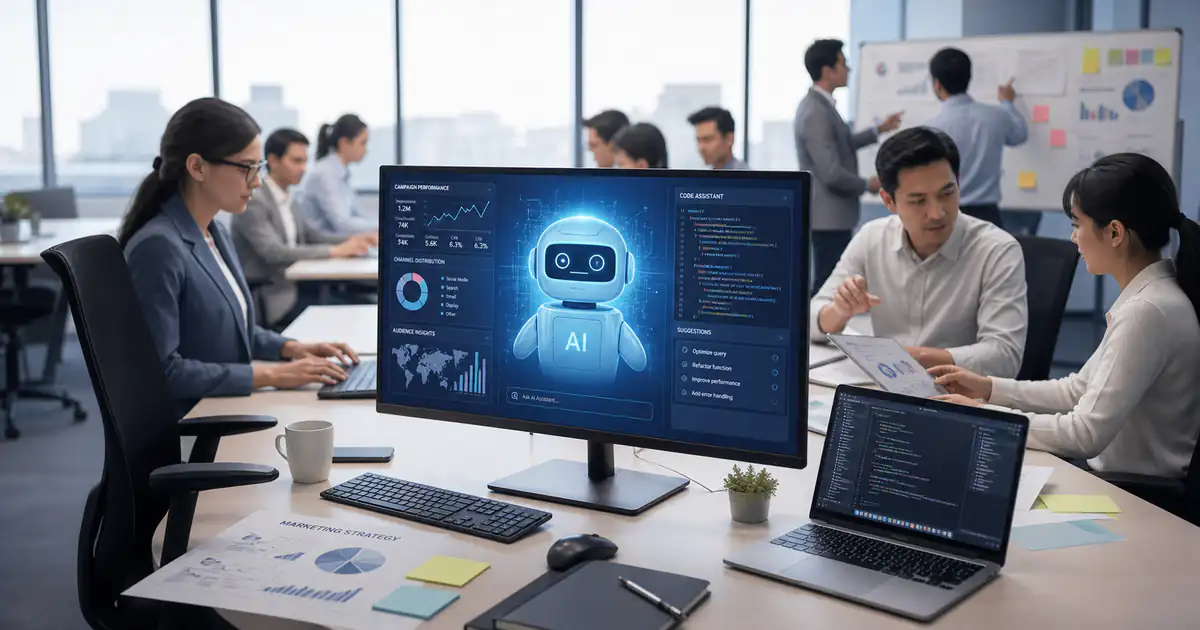
Engineering team reviewing AI coding tools for software teams

AI coding tools for software teams can reduce the effort spent understanding code, writing routine changes, creating tests, and preparing reviews. They do not improve productivity or code quality automatically. The useful unit is the whole verified workflow: define the task, generate or edit code, test it, review it, correct it, and ship it safely.

That distinction matters for an engineering lead. A tool that produces a large diff quickly can move work forward, or simply transfer effort to reviewers. A practical adoption plan therefore starts with task fit and guardrails, then measures delivery flow and quality together.

The productivity question is bigger than typing speed

Research does not support one universal productivity number for AI-assisted coding.

In GitHub's controlled Copilot experiment, 95 professional developers were asked to build the same JavaScript HTTP server. The group using Copilot completed that bounded task 55 percent faster on average.

A different result came from METR's early-2025 randomized study. Experienced open-source developers working on issues in repositories they knew well took 19 percent longer when AI tools were allowed. METR later explained that its follow-up experiment could not produce a reliable current estimate because wider adoption created selection and measurement problems.

These findings are not a simple contest. They cover different developers, tasks, codebases, tools, and periods. Together, they suggest a better management question:

Which parts of our own delivery workflow become faster or better, after review and rework are included?

DORA's 2025 research describes AI as an amplifier of the surrounding organization. A team with clear requirements, accessible documentation, fast tests, and disciplined review gives an assistant useful constraints. A team with weak feedback loops can generate ambiguity and rework faster.

Where AI coding tools can help

Start with tasks that have clear context and a result a developer can verify.

WorkflowUseful AI contributionHuman verification
Understand unfamiliar codeTrace call paths, explain modules, locate tests, summarize recent changesOpen the cited files and confirm the explanation against the code
Implement routine changesDraft boilerplate, mappings, validation, migrations, or repetitive editsCheck requirements, edge cases, compatibility, and the complete diff
Create testsSuggest cases, fixtures, boundary conditions, and test scaffoldingConfirm the tests can fail for the intended reason and cover meaningful behavior
Debug failuresSummarize logs, form hypotheses, locate related code, propose a small fixReproduce the failure, validate the cause, and run targeted plus broader checks
RefactorIdentify repeated patterns and prepare consistent multi-file changesProtect behavior with tests and review public interfaces, performance, and migration impact
Prepare a pull requestDraft a summary, identify risk areas, and perform a preliminary reviewA responsible developer reviews and owns the change before merge

Poorly bounded tasks are less suitable. "Improve this service" gives an agent no stable target. "Preserve these API responses, remove this duplicated validation, and keep these tests passing" creates a result that can be inspected.

This is why a concise specification still matters. A structured technical assignment gives both the developer and the tool a shared statement of behavior, constraints, and acceptance checks.

How AI-assisted coding can improve code quality

AI can support quality by making good engineering checks easier to perform. It can propose missing tests, explain a risky branch, compare implementation options, spot an inconsistent pattern, or review a diff against an explicit checklist.

The tool is not the quality owner. GitHub's own Copilot guidance tells users to understand suggestions, review functionality and security, and use automated tests, linting, code scanning, and IP scanning as additional checks.

Quality also affects productivity. Research at Google found that increases in perceived code quality tended to be followed by higher perceived developer productivity in the studied environment. That is a useful reason to count maintainability, review effort, and defects when evaluating an AI tool, rather than measuring only how quickly code appears.

There is a learning trade-off too. In Anthropic's 2026 skill-formation study, mostly junior developers learned an unfamiliar Python library with or without AI assistance. The AI group scored lower on a short-term mastery test, while interaction patterns that asked for explanations or conceptual help were associated with better understanding. The study was small and narrow, but it supports a practical rule: when the task teaches a developer an unfamiliar system, use AI to improve comprehension, not only to produce the answer.

Three practical AI-assisted coding workflows

1. Make a test-first bug fix

Suppose a date parser accepts an invalid boundary value.

  1. Write the expected behavior and one or more examples before asking for code.
  2. Ask the assistant to locate the parser, its callers, and existing tests. Request a plan only.
  3. Review the proposed scope and correct any mistaken assumptions.
  4. Add a test that reproduces the bug. Confirm it fails for the expected reason.
  5. Ask for the smallest implementation change that passes the new test without modifying it.
  6. Run the focused test, the relevant suite, linting, type checks, and any required security or dependency checks.
  7. Review the final diff for readability, compatibility, and behavior that the generated test did not cover.

The assistant reduces search and drafting effort. The failing test and human review keep the goal stable.

2. Explore an unfamiliar codebase without editing it

Begin in a read-only or planning mode.

Ask the tool to explain one request path, identify the entry point, list the files it used, and locate the tests and configuration that affect the behavior. Open those files yourself. Then ask the tool to compare its explanation with a failing log or a specific requirement.

Only move to editing after the developer can state the likely change and its risks in their own words. This preserves learning and makes a later diff easier to review.

3. Use AI as a preliminary pull-request reviewer

Give the reviewer the diff plus a checklist: requirements, error handling, input validation, authorization boundaries, data exposure, backwards compatibility, tests, and maintainability.

Ask for line-specific findings with a reason and a suggested verification step. Treat each result as a lead, not a verdict. The author or human reviewer should confirm it, reject false positives, and keep the normal approval and CI rules in place.

AI review can widen the first pass. It should not let the author approve their own change through an automated proxy.

There is no durable universal winner. Shortlist a tool by where the team works, the tasks it should handle, and the controls the organization needs.

ToolBest fit to evaluateWorking surfaceRollout check
CodexTeams that want an agent to understand repositories, implement and test changes, review diffs, and handle longer or parallel engineering tasksChatGPT desktop app, CLI, IDE extension, cloud, and GitHub code reviewDefine repository instructions and completion criteria, scope sandbox and approvals, review every diff, and keep tests and required checks before merge
GitHub CopilotTeams centered on GitHub that want inline help, IDE chat or agents, pull-request review, and organization policiesSupported IDEs, GitHub, CLI, and cloud agentReview feature policies, public-code matching, repository access, and which preview features are acceptable
CursorTeams willing to standardize on an AI-focused editor for codebase exploration and multi-file agent workEditor modes plus optional background agentsValidate Privacy Mode, code indexing, model routing, command execution, and background-agent network access against team policy
Claude CodeTerminal-oriented teams that want an agent to inspect a repository, edit files, run commands, and integrate with development toolsTerminal, IDE, desktop, and webStart with narrow permissions, review allowed commands and external connections, and confirm the approved data path
Gemini Code AssistTeams using supported IDEs or Google Cloud that want chat, code context, diffs, rules, and agent modeVS Code, supported JetBrains IDEs, and Google integrationsConfirm edition-specific data handling, context exclusions, admin settings, and feature status

Run the same representative tasks through shortlisted tools. Compare the quality of the plan and diff, the amount of correction required, the clarity of citations or file references, and the fit with existing developer habits. Avoid choosing from a demo that uses only greenfield boilerplate.

Put guardrails around the workflow

Classify data before enabling repository context

Decide which repositories, files, logs, and tickets may be sent to a provider. Keep secrets, credentials, production data, personal data, and restricted customer material out of prompts and tool context unless a reviewed policy and contract explicitly permit the use.

Vendor settings are not interchangeable. For example, Cursor documents multiple privacy options, while Google describes edition-specific handling for Gemini Code Assist. Check the current terms, settings, subprocessors, retention, training use, region, and deletion process that apply to the exact product and plan.

Start agents with the least authority they need

Use read-only exploration first. Allow editing only inside the intended repository. Restrict command execution, network access, external tools, credentials, and deployment permissions.

Background execution deserves separate review. Cursor's documentation notes that its background agents run commands automatically and have internet access, which creates a prompt-injection and data-exfiltration risk that a team must assess. A sandbox reduces exposure, but it does not remove the need for scoped credentials and human review.

Keep changes small and attributable

One task, one branch, one clear diff. Require the author to understand the change and state what was generated, what was verified, and what remains uncertain. Large mixed-purpose changes hide mistakes from both people and automated reviewers.

Keep existing quality gates

Generated code should pass the same tests, type checks, linters, static analysis, dependency controls, and review rules as human-written code. High-risk changes may require additional security, privacy, performance, or domain review. Passing checks supports a decision; it does not prove that every requirement or threat was covered.

The broader software-development oversight process still applies. AI changes who drafts parts of the work, not who is accountable for the result.

Measure delivery and quality together

Create a baseline before the pilot, then compare similar task types. Do not use lines of code, prompts sent, or suggestions accepted as the main success measure.

DimensionMeasures to considerQuestion
FlowTime from active work to review-ready change, review cycle time, blocked timeDid the verified task move through the system faster?
QualityEscaped defects, reopened issues, failed builds, change failures, severity of review findingsDid faster drafting create downstream problems?
ReworkFollow-up corrections, rollback or hotfix work, code churn soon after mergeHow much effort returned after the first implementation?
Review loadTime to understand the diff, number of clarification rounds, diff sizeDid the tool help the reviewer or move the bottleneck?
Developer experiencePerceived focus, confidence in changed code, learning, and frustrationDid the workflow help people do sustainable work?

Use medians where a few unusual tasks could distort the result. Segment by work type, such as routine maintenance, tests, unfamiliar-code exploration, and complex feature work. A single blended average can hide where the tool helps and where it adds friction.

A 30-day adoption plan

  1. Choose one workflow. Start with a reversible, well-tested task such as routine maintenance, test scaffolding, or read-only codebase exploration.
  2. Write the policy. Define allowed data, tools, repositories, commands, review ownership, disclosure expectations, and prohibited actions.
  3. Capture a baseline. Use recent comparable work to record flow, quality, rework, review load, and developer experience.
  4. Train for verification. Show developers how to provide constraints, request plans, inspect cited files, test assumptions, and reject output.
  5. Run the pilot. Keep the team and task category small enough to compare work meaningfully.
  6. Review every week. Look for recurring false assumptions, unsafe requests, review bottlenecks, and missing documentation.
  7. Decide deliberately. Expand, change tools, narrow the allowed workflow, or stop based on the evidence. Record the decision and revisit it when the product changes materially.

Common questions

Will AI coding tools replace code review?

No. They can perform a preliminary review or help an author prepare a clearer change, but a responsible human still needs to understand the diff, resolve uncertainty, and own the merge decision.

Do AI coding tools always make developers faster?

No. Current studies show different results across tasks and settings. Measure the whole local workflow, including prompting, correction, review, and rework.

Can generated tests be trusted?

Treat them like generated production code. Confirm that a test can fail for the intended reason, covers meaningful behavior, and does not simply reproduce the implementation's assumption.

Which tool should a small team start with?

Start with the tool that fits the team's current editor or repository workflow and offers acceptable data and permission controls. Test it on one representative task before standardizing.

What code should never be shared with a coding assistant?

The answer depends on contracts, law, internal policy, and the product configuration. At minimum, do not send secrets, credentials, production data, personal data, or restricted customer material without explicit authorization and appropriate controls.

How often should the team reassess its tool choice?

Review after the pilot and whenever a meaningful feature, model, data policy, integration, or risk boundary changes. A scheduled periodic review is also useful, but material change should trigger an earlier one.

Use AI to shorten a verified path

The best first use case is not the most impressive demo. It is a recurring task with clear acceptance checks, enough automated feedback, and a developer who can judge the result.

Choose one workflow, keep the agent's authority narrow, and measure what happens after generation. If the team ships comparable work with less review friction and no unacceptable quality trade-off, expand carefully. If rework or uncertainty grows, improve the specification and feedback loop before adding more autonomy.

For teams turning a product idea into structured requirements and a reviewed delivery plan, learn how TokLis approaches software work.

AI in Business Today: Transforming Digital Marketing and Software Development

· 6 min read
TokLis Solutions
Software delivery and digital marketing insights

AI transforming digital marketing and software development for business

Artificial Intelligence (AI) is no longer just a buzzword or a distant future scenario; it has become integral to how businesses operate, especially within digital marketing and software development. From automating mundane tasks to generating personalized customer experiences, AI drives efficiency and innovation across sectors. This article explores how AI is transforming these fields. It offers real-world examples and highlights key benefits. Additionally, it sheds light on emerging trends that entrepreneurs, business owners, marketers, and software developers should closely monitor.

How AI is Revolutionizing Digital Marketing

Personalized User Experiences

AI allows digital marketers to deliver hyper-personalized content and experiences to users. Algorithms analyze vast amounts of consumer data to identify patterns, preferences, and purchasing behaviors. Brands like Netflix and Amazon use AI-driven recommendation engines to suggest products or content that align precisely with individual user interests, significantly increasing user engagement and conversion rates.

Enhanced Targeted Advertising

AI improves targeting precision in advertising campaigns, ensuring that ads reach the right audience at the optimal time. Platforms like Google Ads and Facebook leverage AI to optimize ad performance, making real-time adjustments to campaigns based on user interactions and conversion rates, thereby maximizing ROI.

Chatbots and Virtual Assistants

Chatbots powered by AI have become invaluable in digital marketing, especially in customer service and lead generation. They handle routine inquiries, freeing human staff to focus on more complex interactions. Companies like HubSpot and Salesforce have successfully implemented AI-driven chatbots, enhancing customer satisfaction and capturing leads around the clock.

Predictive Analytics for Better Decision-Making

AI-driven predictive analytics empowers marketers by providing insights into future customer behaviors and market trends. By analyzing historical data, predictive models forecast consumer responses to marketing campaigns, enabling marketers to craft strategies that resonate deeply with targeted audiences.

Practical AI Applications in Software Development

AI-Assisted Coding

Software developers increasingly rely on AI-powered coding tools, like GitHub Copilot, Cursor and OpenAI’s Codex, to enhance productivity. These tools offer code suggestions, automate mundane programming tasks, and reduce human error. By using AI, developers can focus on higher-level problem-solving, reducing time spent on repetitive coding. Actually, anyone can take great idea for AI business from dedicated forum. Then, apply Cursor, integrated development environment, to that idea and release a minimum viable product (MVP).

Enhanced Quality Assurance

AI significantly improves software quality assurance processes. Automated testing powered by machine learning algorithms identifies software bugs and vulnerabilities faster and more accurately than traditional testing methods. AI-driven testing frameworks analyze code comprehensively, predict potential failures, and recommend fixes proactively.

Smarter Project Management

AI is transforming software project management by providing predictive insights, accurate resource allocation, and smarter scheduling. AI-based tools forecast project completion timelines, anticipate potential bottlenecks, and dynamically adjust project plans, ensuring timely and efficient delivery.

Real-World Examples of AI Transforming Industries

Case Study: AI in Marketing - Coca-Cola

Coca-Cola leverages AI to analyze extensive market data, optimize ad placement, and enhance user engagement across digital platforms. By personalizing its marketing campaigns through AI-generated insights, the company has significantly improved customer engagement and sales conversion rates.

Case Study: AI in Software Development at Microsoft

Microsoft’s adoption of AI-powered coding tools has resulted in dramatically increased developer efficiency. Tools like Visual Studio IntelliCode provide context-aware coding suggestions, enabling faster, more accurate development processes. This not only accelerates software delivery but also enhances code quality and reliability.

Benefits of Integrating AI into Your Business Processes

Increased Efficiency and Productivity

AI automates repetitive tasks across both marketing and software development, freeing human resources to focus on strategic and creative aspects. This efficiency leads to reduced operational costs and faster project turnaround times, directly impacting profitability.

Enhanced Decision-Making Capabilities

With AI-driven analytics, business leaders can make more informed decisions backed by precise, data-driven insights. AI algorithms analyze massive datasets to identify patterns and trends, providing actionable insights that would otherwise remain hidden.

Improved Customer Satisfaction

AI enables businesses to better understand and meet customer expectations. By delivering personalized content, quick responses, and more engaging user interactions, companies build stronger, lasting relationships with their customer base.

Generative AI and Content Creation

Generative AI, such as GPT models from OpenAI, is revolutionizing content creation. Businesses can now automate the generation of blog posts, marketing copy, and even software documentation, significantly reducing the time and resources traditionally needed for content development.

Enhanced Security through AI

AI technologies are increasingly being leveraged to enhance digital security. In software development, AI algorithms detect anomalies and threats in real-time, reducing vulnerabilities and securing applications against cyber threats.

Voice and Visual Search Optimization

As voice search and image recognition become more sophisticated, businesses must adapt their digital marketing strategies. AI optimizes content and strategies to align with these new search patterns, making businesses more discoverable in emerging search landscapes.

Challenges and Considerations When Adopting AI

Data Privacy and Ethics

The widespread adoption of AI raises significant concerns about data privacy and ethical practices. Companies must navigate stringent data regulations and ethical considerations, ensuring transparent data usage and AI model fairness.

Skill Gap and Workforce Adaptation

Integrating AI into digital marketing and software development processes requires upskilling teams to effectively leverage new technologies. Companies need to invest in continuous training and development programs to bridge skill gaps and ensure teams fully utilize AI capabilities.

Scalability and Integration

Adopting AI technology necessitates careful integration into existing business systems. Challenges such as interoperability, legacy system compatibility, and the need for scalable infrastructure must be proactively addressed to ensure smooth AI deployment.

Preparing for the Future: Steps Businesses Should Take Now

Invest in AI Skills Training

Companies should actively invest in employee training programs to build internal competencies in AI. Empowering teams with the necessary AI skills ensures businesses can leverage emerging technologies effectively.

Develop a Robust AI Strategy

A clear, strategic approach to AI adoption is crucial. Businesses must identify specific problems they aim to solve with AI, set measurable goals, and systematically evaluate AI solutions that align with their strategic objectives.

Start Small, Think Big

Businesses new to AI should adopt a measured approach—starting with small, manageable AI projects before scaling. This allows organizations to learn, adapt, and optimize their use of AI, ensuring long-term success.

Conclusion: AI as a Catalyst for Business Innovation

AI technology has become a transformative force in digital marketing and software development, reshaping industries through increased efficiency, personalization, and innovation. Businesses prepared to embrace AI will gain a competitive advantage by enhancing customer experiences, optimizing operations, and pioneering new digital possibilities.

As we move forward, embracing AI responsibly and strategically will distinguish industry leaders from followers, shaping the future landscape of business, technology, and consumer engagement.

Discover how Toklis Solutions’ expert use of AI can elevate your digital marketing and software development, delivering tailored strategies and measurable results.

Beyond Writing: Overseeing the Development Process and Providing Ongoing Support

· 15 min read
TokLis Solutions
Software delivery and digital marketing insights

Overseeing software development processes and providing ongoing support

In the fast-paced world of software development, the role of a Project Manager (PM) extends far beyond the creation of technical assignments. This comprehensive guide delves into the multifaceted responsibilities of a PM, encompassing the entire software development lifecycle. From initial planning and execution to post-launch support, the article sheds light on the evolving duties of PMs, highlighting their critical role in bridging communication gaps, navigating various stages of development, and implementing effective project management strategies. It emphasizes the importance of testing for quality assurance, team leadership, and adapting to changing technologies. The guide also explores the balance between technical know-how and managerial skills, underscoring the PM's integral role in leading successful projects in a rapidly evolving tech landscape. This article is a valuable resource for understanding the expansive and dynamic nature of a PM's responsibilities in the realm of software development.

The Project Manager's Expanding Role in Software Development

In the dynamic realm of software development, the role of a project manager (PM) transcends mere technical assignments. As the industry evolves, PMs are finding themselves navigating through multifaceted responsibilities that extend beyond the traditional confines. Initially, their role was predominantly focused on the planning phase, which involved drafting detailed technical assignments and setting the project's foundational path. However, this role has progressively evolved.

The modern PM now acts as a crucial bridge between various stakeholders, ensuring seamless communication and alignment of objectives. This role encompasses not only leading the team through the execution of software development but also involves actively participating in every stage of the project lifecycle. This expansion of duties necessitates PMs to possess a deep understanding of technical aspects, coupled with strong leadership and communication skills.

From Planning to Execution: The PM's Evolving Responsibilities

In software development, a Project Manager's (PM) responsibilities evolve significantly from the planning phase to execution. Initially, they focus on establishing clear objectives, defining the scope, and setting a realistic timeline. As the project progresses, the PM's role shifts towards ensuring that the development adheres to the outlined plan. This involves close collaboration with the team, problem-solving, and adapting to any changes or challenges that arise. Effective PMs skillfully navigate these phases, ensuring a smooth transition from concept to a fully functional software product.

From Planning to Execution

Bridging the Gap: Communication as a Key Tool

Effective communication is a crucial tool for PMs in bridging the gap between various stakeholders in a software development project. They must maintain clear, consistent communication channels with team members, clients, and upper management. This involves not only conveying project goals and updates but also listening to feedback and concerns. By fostering open communication, PMs can ensure alignment of goals, prevent misunderstandings, and build a cohesive, collaborative environment for project success.

The journey through the software development lifecycle is a meticulous process that demands careful oversight. In the initial stages, PMs are deeply involved in requirement gathering and analysis. This crucial phase lays the groundwork for the entire project, where understanding client needs and translating them into actionable technical assignments is key.

As the project progresses to the design and development phase, the PM's role shifts to guiding the creative process. Here, they ensure that the development team's efforts align with the project's goals and technical requirements. The PM also plays a pivotal role in the testing and deployment phases. They oversee the quality assurance processes, ensuring that the software meets the established standards and functions as intended post-launch.

The Initial Stages: Requirement Gathering and Analysis

The initial stages of the software development lifecycle are critical, with a strong emphasis on requirement gathering and analysis. During this phase, PMs work closely with stakeholders to clearly define and document project requirements. This process involves understanding the client's needs, the end-users' perspectives, and the technical feasibility of those requirements. Proper analysis at this stage sets a solid foundation for the entire project, minimizing risks of scope creep and ensuring that the end product aligns with client expectations.

Design and Development: Guiding the Creative Process

During the design and development phase, PMs play a pivotal role in guiding the creative process. They must ensure that the software design aligns with the project requirements and client expectations. This phase involves coordinating with designers, developers, and other team members to translate the project requirements into a tangible product. PMs also need to manage resources effectively, monitor progress, and make necessary adjustments to keep the project on track and within budget.

Testing and Deployment: Ensuring Quality and Efficiency

Testing and deployment are critical stages where PMs ensure the software's quality and efficiency. They oversee various testing methods to identify and rectify any bugs or issues. This process is crucial for guaranteeing that the software meets quality standards and functions as intended. During deployment, PMs coordinate the launch, ensuring that the transition to the live environment is smooth and that the end-users can seamlessly adapt to the new software.

Effective Strategies for Project Management

In managing software development projects, selecting the right project management methodology is vital. Agile and Waterfall methodologies offer different approaches, and PMs must choose the one that best fits the project's nature and requirements. Agile, with its flexibility and iterative nature, is often preferred for projects requiring adaptability and frequent updates. In contrast, Waterfall is suitable for projects with well-defined stages and linear progressions.

Risk management and contingency planning are other critical aspects of effective project management. PMs must anticipate potential challenges and devise strategies to mitigate them. Additionally, leveraging project management tools can streamline operations, ensuring efficient workflow and resource management throughout the project lifecycle.

Agile vs. Waterfall: Choosing the Right Methodology

Choosing the right project management methodology, be it Agile or Waterfall, is crucial in the context of software development. Agile methodologies offer flexibility and are iterative, allowing for regular adjustments based on client feedback and changing requirements. Waterfall, on the other hand, is a sequential approach, where each phase must be completed before the next begins, offering a more structured and linear path. The PM must evaluate the project's nature, client requirements, and team dynamics to determine the most suitable approach for successful project execution.

Risk Management and Contingency Planning in Projects

Risk management and contingency planning are critical components of effective project management. PMs must identify potential risks early in the project lifecycle and develop strategies to mitigate them. This includes analyzing the probability and impact of risks and setting up response plans. Effective contingency planning ensures that the project stays on track despite unforeseen challenges, minimizing disruptions and ensuring timely delivery.

Utilizing Project Management Tools for Streamlined Operations

Utilizing the right project management tools is essential for streamlining operations and enhancing team productivity. These tools help in task scheduling, resource allocation, tracking progress, and facilitating communication among team members. Whether it’s for Agile methodologies like Scrum and Kanban or for traditional project management approaches, selecting appropriate tools can significantly improve efficiency and project outcomes.

The Crucial Role of Testing in Software Development

Testing is an integral component of software development, ensuring the end product's quality and functionality. PMs must oversee various testing types, from unit to integration and system testing, to ensure comprehensive quality checks. Each testing type addresses different aspects of the software, identifying potential issues that need resolution before the final deployment.

Another emerging trend in software testing is the automation of tests. Automated testing, especially in continuous integration environments, offers several advantages. It increases the efficiency of the testing process, allows for frequent and consistent test execution, and significantly reduces the time and cost associated with manual testing.

Test Software

Types of Testing: Ensuring Comprehensive Quality Checks

In software development, implementing comprehensive quality checks through various types of testing is vital. This includes unit testing, integration testing, system testing, and user acceptance testing. Each type addresses different aspects of the software, from individual components to the entire system and its integration with other systems. Effective testing ensures that the software is robust, functional, and meets the user requirements.

Automating Tests: The Advantages of Continuous Integration

Automating tests and implementing continuous integration brings significant advantages to the software development process. It allows for the early detection of defects, reduces manual testing efforts, and ensures the quality of the code throughout development. Automated tests run as part of the continuous integration process can rapidly provide feedback on the impact of recent changes, thereby enhancing the efficiency and reliability of the software development lifecycle.

Post-Launch Support and Maintenance

Post-launch, the focus of a PM shifts to support and maintenance, ensuring the ongoing health and performance of the software. This stage is crucial as it involves monitoring the software for any issues that might arise and implementing necessary updates and fixes.

Another critical aspect post-launch is implementing user feedback. PMs must ensure a continuous improvement cycle, where feedback from users is taken constructively, and necessary changes are made to enhance the software's functionality and user experience. This process not only helps in keeping the software up-to-date but also ensures that it continuously evolves to meet user expectations and market trends.

Monitoring and Maintenance: Keeping the Software Healthy

Post-launch, monitoring and maintenance become crucial to ensuring the longevity and performance of the software. This phase involves regular check-ups for potential bugs, performance issues, and security vulnerabilities. The PM oversees these activities, ensuring that the software remains up-to-date with the latest technological advancements and user requirements. Effective monitoring can preemptively identify issues before they escalate, maintaining the software's health and usability.

Implementing User Feedback: The Cycle of Continuous Improvement

Implementing user feedback is a continuous cycle vital for the software's evolution and improvement. Feedback from end-users offers invaluable insights into user experience and functionality issues. The PM plays a pivotal role in integrating this feedback into the development cycle, ensuring that the software evolves in line with user expectations and market trends, thereby enhancing user satisfaction and product value.

Building and Leading a Successful Development Team

Constructing and managing a successful development team is a multifaceted challenge for any project manager. The composition and dynamics of the team are crucial; finding the right mix of skills, experience, and personalities can significantly impact the project's success. The PM must carefully select team members, considering not only their technical abilities but also how they fit into the team's culture and work dynamics.

Once the team is assembled, the next challenge is leadership and motivation. A PM must keep the team engaged and productive, fostering an environment that encourages innovation and collaboration. This involves setting clear goals, providing ongoing feedback, and recognizing achievements. A motivated team is more likely to meet project objectives and overcome challenges efficiently.

Team Composition and Dynamics: Finding the Right Mix

A successful development team is not just about individual skills but also about the right composition and dynamics. The PM is responsible for assembling a team with diverse skills and expertise that complement each other. Understanding team members' strengths, weaknesses, and communication styles is crucial for fostering a collaborative and productive environment. The right team composition is integral to the project’s success, driving innovation and efficient problem-solving.

Leadership and Motivation: Keeping the Team Engaged and Productive

Effective leadership and motivation are key to keeping the development team engaged and productive. A PM must not only manage tasks but also inspire and motivate the team. This involves setting clear goals, providing regular feedback, recognizing achievements, and creating a positive work environment. Motivated teams are more likely to be creative, proactive, and committed to the project's success.

Balancing Technical and Managerial Duties

A critical aspect of project management in software development is balancing technical and managerial duties. The technical PM must decide how much coding knowledge is essential for effective project oversight. While deep technical expertise can be beneficial, it is also crucial for PMs to focus on broader project management responsibilities.

Time management and prioritization are vital skills in this balancing act. A PM must effectively allocate time between managing the team, liaising with stakeholders, and staying updated with technical advancements. This balance ensures that the PM can provide adequate support to the team while also steering the project towards its strategic objectives.

The Technical PM: How Much Coding Should a PM Know?

One of the enduring debates in project management circles is the extent of coding knowledge required for a technical PM. While it's beneficial for PMs to have a foundational understanding of coding and software development principles, their primary role is to manage the project, not to write code.

Having coding knowledge can help PMs communicate more effectively with their development teams and understand the challenges involved in software creation. However, it is also crucial for PMs to focus on broader project management aspects, such as resource allocation, timeline management, and stakeholder communication. Balancing technical understanding with managerial skills is key to effective project management in software development.

Time Management and Prioritization in Project Management

Effective time management and prioritization are essential skills for project managers in the software development industry. PMs are often required to juggle multiple tasks and responsibilities, making it crucial to prioritize activities based on project goals and deadlines.

Good time management involves setting realistic deadlines, delegating tasks appropriately, and ensuring that the team stays on track. PMs must also be adept at adjusting their plans and priorities in response to project changes or unforeseen challenges, ensuring that critical project milestones are met without compromising on quality or scope.

The landscape of project management is continuously evolving, influenced by emerging technologies and methodologies. PMs must stay ahead of these trends to adapt their strategies and maintain the relevance of their projects. This involves understanding and integrating new technologies and methodologies that can enhance project outcomes.

The role of the PM in this rapidly changing tech landscape is more critical than ever. They must not only adapt to these changes but also guide their teams through them. This role requires a continuous learning mindset and the ability to anticipate and prepare for future challenges in the industry.

Staying Ahead: Adapting to New Technologies and Methodologies

For project managers, staying ahead in the software development industry means being adaptive to new technologies and methodologies. This could involve exploring and integrating advanced technologies like artificial intelligence, machine learning, and cloud computing into the development process.

Adapting to new methodologies, such as Agile, Scrum, or DevOps, can also enhance project efficiency and effectiveness. PMs should continuously explore these advancements, understanding their implications and potential benefits for their projects. By staying informed and flexible, PMs can ensure that their projects remain cutting-edge and aligned with industry best practices.

The PM's Role in a Rapidly Changing Tech Landscape

In the rapidly evolving tech landscape, a PM's role is more dynamic than ever. They must stay abreast of emerging technologies, methodologies, and industry trends. This knowledge enables PMs to guide their teams effectively, adapt to new challenges, and make informed decisions. Staying current with technological advancements ensures that the project remains relevant and competitive in a constantly changing environment.

Conclusion: The Integral Role of a Project Manager

In conclusion, the role of a project manager in software development is integral and multifaceted. From the initial planning stages to post-launch support, a PM's responsibilities encompass a wide range of activities. These include overseeing technical assignments, managing team dynamics, and adapting to evolving industry trends.

The future of project management demands continuous learning and adaptation. PMs must stay informed and flexible to navigate the challenges and opportunities presented by the ever-changing tech landscape. By doing so, they can ensure the successful delivery of software projects and contribute significantly to their organization's growth and innovation.

Summary of Key Responsibilities and Challenges

The role of a project manager in software development is characterized by a diverse set of responsibilities and challenges. Key responsibilities include overseeing the entire project lifecycle, from conceptualization and planning to execution and delivery. PMs must ensure that technical assignments are accurately defined and aligned with project goals. They face challenges such as managing team dynamics, ensuring project alignment with client expectations, and adapting to unforeseen issues during development.

In addition to these responsibilities, PMs also play a critical role in post-launch activities. This includes monitoring software performance, addressing any issues, and incorporating user feedback for continuous improvement. Navigating these responsibilities and challenges requires a PM to be adaptable, proactive, and equipped with both technical and managerial expertise.

Preparing for the Future: Continuous Learning and Adaptation

For project managers, preparing for the future is about embracing continuous learning and adaptation. The rapidly evolving technology landscape demands that PMs stay abreast of the latest trends and methodologies in software development. This continuous learning approach is vital for adapting to new technologies, such as AI or cloud computing, which can significantly impact project management processes and outcomes.

Adaptation also involves being receptive to new project management methodologies and tools that enhance efficiency and collaboration. As the role of PMs continues to evolve, those who proactively seek knowledge and adapt to changes will be best positioned to lead successful projects in the dynamic world of software development.

Additionally, think about delegating your assignment writing to experts for enhanced project success and efficiency. Toklis Solutions provides specialized services to meet your requirements, guaranteeing accurate and goal-aligned technical assignments.