Self-Hosted LLM Cost in 2026: Kimi K3, GLM-5.2, and DeepSeek V4
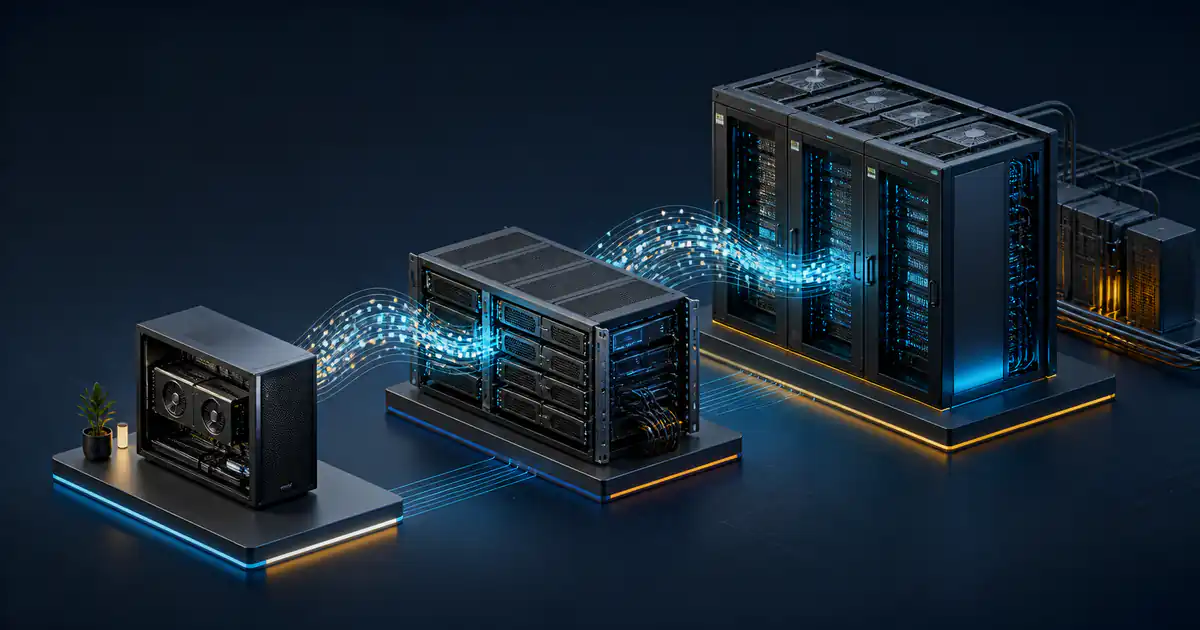
The self-hosted LLM cost for a frontier open-weight model in 2026 ranges from roughly $60,000 for an experimental dual-GPU workstation to more than $500,000 for a current eight-GPU data-center system. That is hardware acquisition cost, not total cost of ownership.
The cheaper number needs a warning. A dual NVIDIA RTX PRO 6000 workstation has been made to serve DeepSeek V4 Flash, but the documented setup required code patches and disabled performance features. It is not a production reference architecture. Current published recipes put Kimi K3 on at least eight GB300 GPUs, GLM-5.2 on eight H200 GPUs in one validated profile, and DeepSeek V4 Flash 0731 on four GB300 GPUs in its official example.
This comparison uses prices and documentation checked on August 11, 2026. Hardware quotes can move quickly, so use the figures to choose a deployment class, then request a workload-specific quote.
The quick cost comparison
| Model | Published serving reference used here | Indicative hardware price | What the number means |
|---|---|---|---|
| Kimi K3 | At least 8x GB300; multi-node for real production traffic | $381,000 to $509,000 for current 8x B300 systems | A nearby purchase benchmark, not the exact GB300 topology in the serving recipe |
| GLM-5.2 | 8x H200 FP8, aggregated | $309,507 for one configured 8x H200 server | A public configured price for the same GPU class and count |
| DeepSeek V4 Flash 0731 | Official example: 4x GB300 | Quote required | The current model card's data-center example |
| DeepSeek V4 Flash, experimental floor | 2x RTX PRO 6000, patched community setup | $26,500 for GPUs alone; about $61,500 for one complete Dubai workstation listing | A low-concurrency owner-operated experiment, not a supported production minimum |
The B300 market range comes from Rillor's indicative system marketplace, which showed an 8x B300 Supermicro system at $381,000 and a DGX B300 at $509,000 when checked. The GLM comparison uses an Exxact 8x H200 configuration priced at $309,507.
For the workstation floor, NVIDIA listed each RTX PRO 6000 Workstation Edition at $13,250, so two GPUs alone cost $26,500. A Dubai retailer listed a complete Threadripper Pro system with 512 GB RAM and two RTX PRO 6000 cards at AED 225,700 in its workstation category. At the Central Bank of the UAE's AED 3.6725 per US dollar rate, that was about $61,457. Availability, tax treatment, support, and final configuration still need confirmation from the seller.
Open weights do not mean cheap infrastructure
Downloading model weights may cost nothing, but serving them requires more than enough memory for the parameters.
Kimi K3 is a mixture-of-experts, or MoE, model. Only part of an MoE network is active for each token, which can reduce computation. It does not mean the inactive experts disappear from storage or GPU memory. The serving system still needs access to the complete checkpoint, plus memory for the key-value cache, runtime buffers, communication, and concurrent requests.
Moonshot AI's Kimi K3 model card illustrates the difference: 2.8 trillion total parameters, 104 billion activated parameters, MXFP4 weights, and a one-million-token context window. A buyer who budgets only around the 104 billion active parameters will understate the memory and systems problem.
Long context raises the operating requirement further. A model may advertise one million tokens, while a practical serving recipe supports less because the key-value cache and concurrency need memory too. The useful procurement question is not simply, "Can the weights load?" It is, "Can this topology meet our context, latency, throughput, and reliability target at our expected concurrency?"
Kimi K3: a data-center project, not a workstation build
Kimi K3 combines native vision, a one-million-token context window, and a very large sparse architecture. Its weights are available under the custom Kimi K3 license, so a legal review should confirm that the license fits the intended use.
The current vLLM Kimi K3 recipe is explicit about the deployment class: at least eight GB300 GPUs, with multi-node infrastructure for real production traffic. That is a stronger requirement than simply fitting a compressed checkpoint into an eight-GPU server.
Public GB300 system prices are usually quote-based. For a useful ownership benchmark, an 8x B300 system is the closest transparent market snapshot in this comparison. NVIDIA's DGX B300 specifications show eight 288 GB GPUs, 2.3 TB of total GPU memory, and a 15 kW system maximum. Current indicative B300 systems around $381,000 to $509,000 therefore establish a lower reference band, not a final Kimi production budget.
A real Kimi K3 proposal also needs to price:
- The exact GB300 or approved alternative topology and its support contract.
- High-speed GPU and node interconnects.
- Rack power, cooling, and possibly facility upgrades.
- Storage for model versions and deployment artifacts.
- A staging environment and enough spare capacity for maintenance.
- Engineering work for the current CUDA, driver, vLLM, and networking requirements.
If the workload does not need native multimodality, extreme context, or Kimi K3's specific behavior, testing a smaller model first can avoid a six-figure architecture decision.
GLM-5.2: the clearest single-server reference
GLM-5.2 has a one-million-token model context and an MIT license, according to the official model card. NVIDIA publishes a particularly useful serving profile for buyers because it defines both the hardware and the workload.
The NVIDIA Dynamo GLM-5.2 recipe includes an aggregated FP8 target on eight H200 GPUs. That profile supports up to 250,000 tokens, not the model's full one-million-token context. On a trace with 64K median input, 400 median output, 90 percent key-value cache hit rate, and concurrency 32, NVIDIA reports 54.55 system output tokens per second per GPU, 52.37 median per-request output tokens per second, and 1.79 seconds median time to first token.
Those figures are not a universal performance promise. They show why a benchmark is meaningful only with its context length, output length, cache hit rate, concurrency, software stack, and latency metric attached.
The configured 8x H200 server price of $309,507 provides a defensible acquisition reference. NVIDIA's DGX H200 specifications show 1,128 GB of total GPU memory and a 10.2 kW system maximum for its DGX implementation. An OEM server can have a different power envelope, but this is enough to show that the purchase also belongs in a data-center power and cooling plan.
GLM-5.2 is the easiest of the three to put into a conventional single-node procurement exercise, provided 250K context and the measured workload profile match the requirement. Full one-million-token context or a different concurrency target changes that conclusion.
DeepSeek V4 Flash: distinguish official and experimental deployments
DeepSeek V4 Flash 0731 is the official release that superseded the earlier preview, and its weights use the MIT license. The official model card demonstrates vLLM serving on a single four-GB300 node with DSpark speculative decoding.
That is the production-oriented reference. It is not the only way the model can be made to run.
A detailed vLLM issue for two RTX PRO 6000 cards documents coherent inference and about 14 output tokens per second per stream at 256K context with four concurrent sequences. It also documents nine workarounds, four code patches, and disabled CUDA graphs and speculative decoding. A separate DSpark vLLM fork describes its own target as local inference on two to four RTX PRO cards, not high-concurrency serving.
This makes the dual-card workstation useful for a specific buyer:
- An expert operator accepts custom patches and version pinning.
- Low concurrency is enough.
- Downtime and regression risk are tolerable.
- The environment is a lab, internal evaluation system, or carefully bounded owner-operated service.
It is not evidence that a $60,000 workstation replaces a supported four-GB300 production node. Before buying, reproduce the exact model version, framework build, context length, concurrency, tool-calling behavior, and failure recovery on rented hardware.
Each RTX PRO 6000 provides 96 GB of ECC GDDR7 memory and has a 600 W maximum, according to NVIDIA's specifications. Two cards therefore provide 192 GB of aggregate GPU memory and up to 1.2 kW of GPU power, before CPU, memory, storage, fans, and conversion losses.
What the hardware becomes per month
The following illustration uses 36-month straight-line hardware amortization, 720 operating hours per month, and electricity at $0.10 per kWh. It uses public purchase snapshots and maximum reference power, so it is a conservative capacity-planning comparison rather than a measured utility bill.
| Reference system | Purchase snapshot | Capital per month | Maximum-power electricity | Illustrated monthly floor |
|---|---|---|---|---|
| 8x B300 system for Kimi cost context | $381,000 | $10,583 | $1,080 at 15 kW | $11,663 |
| 8x H200 server for GLM-5.2 | $309,507 | $8,597 | $734 at 10.2 kW | $9,331 |
| Dual RTX PRO 6000 Dubai workstation | $61,457 | $1,707 | $86 for GPUs only at 1.2 kW | $1,793 plus host power |
The formula is simple:
monthly floor = purchase price / 36 + maximum kW × 720 × electricity rate
This floor excludes financing, tax, shipping, import costs, warranty extensions, networking, racks, uninterruptible power, cooling overhead, colocation, monitoring, spares, operator time, and downtime. It also assigns no residual value after three years. Replace every input with a local quote before making a financial decision.
Maximum power is not average power. A production model with variable demand may draw less, while cooling and power-distribution losses add facility consumption. Measure the complete system at the wall during a representative load test.
The costs that usually decide the project
Throughput engineering
Loading the model is a milestone, not a service-level objective. Batching, prefix caching, speculative decoding, expert parallelism, network communication, and request scheduling determine how many users the system can serve. An inexpensive topology can become costly if it needs constant specialist attention or cannot satisfy peak demand.
Reliability and spare capacity
One machine has no maintenance capacity by default. Firmware updates, driver changes, failed power supplies, storage faults, and GPU issues can stop service. High availability may require another node, a hosted fallback, or both.
Facilities
A 10 to 15 kW server is not an office appliance. Confirm rack density, voltage, power-distribution units, heat rejection, noise, fire controls, and network capacity with the facility operator before ordering hardware.
Security, license, and governance
Self-hosting gives the operator control over the serving environment. It also makes that operator responsible for access control, logging, patching, abuse prevention, model provenance, license compliance, and data lifecycle. Keep those controls in the same project budget as the GPUs.
Model turnover
The useful model or serving stack can change faster than the accounting life of the server. Renting first reduces the risk of buying a topology for a model that fails the real acceptance test or is replaced before the hardware arrives.
Should you own, rent, or use an API?
Use an API first when demand is uncertain, the model changes often, or the team needs to validate quality before infrastructure. It is usually the fastest way to collect a real token, latency, and concurrency profile.
Rent dedicated GPUs when the exact topology needs testing, data controls require an isolated environment, or usage is growing but does not yet justify a purchase. A rental benchmark should run the same model build and serving configuration proposed for ownership.
Own the hardware when demand is sustained and predictable, the workload passes an acceptance test, facilities and operators already exist, and control or unit economics justify the operational responsibility.
Build the decision from measured workload data:
- Define the model quality and task-success threshold.
- Record input length, output length, cache reuse, concurrency, latency, and uptime requirements.
- Benchmark the proposed serving stack on rented matching hardware.
- Convert measured throughput into required nodes plus resilience capacity.
- Compare three-year API, rental, and ownership cost on the same demand forecast.
- Run sensitivity cases for utilization, electricity, staffing, and an earlier model replacement.
If the workload is software development, connect infrastructure cost to the complete verified workflow, not token volume alone. The TokLis guide to AI coding tools for software teams explains how to measure delivery, quality, review load, and rework together.
Procurement checklist
Before signing a hardware order, ask for:
- The exact GPU SKU, memory, form factor, interconnect, and supported precision.
- A bill of materials that includes CPUs, system RAM, storage, network cards, cables, and rails.
- Measured wall power and thermal output for the proposed configuration.
- The model checkpoint, framework image, driver, and firmware versions used for validation.
- Results at the required context length, concurrency, time to first token, and output rate.
- Warranty response, spare-part availability, and on-site support terms.
- Delivery timing, tax, shipping, installation, and return conditions.
- A written statement of what is not included in the quote.
Do not treat aggregate GPU memory as proof that a model will serve correctly. Require a reproducible test on the exact topology.
Common questions
Can Kimi K3 run on one eight-GPU server?
The current vLLM recipe says at least eight GB300 GPUs and recommends multi-node infrastructure for real production traffic. Treat a single-node run as a validation target, not proof of production capacity.
Is GLM-5.2 really a one-million-token model on eight H200 GPUs?
The model advertises a one-million-token context. NVIDIA's published eight-H200 recipe supports up to 250K context. A different topology or offload strategy is required to validate the full context.
Can DeepSeek V4 Flash run on two RTX PRO 6000 cards?
Yes, a community report demonstrates it. The same report required multiple patches and disabled important optimizations, so it should be treated as an experimental low-concurrency build.
Is electricity the largest ongoing cost?
Not in these illustrations. Hardware amortization is larger than direct server electricity at $0.10 per kWh. Staffing, cooling, resilience, facilities, and financing can matter more than the utility line.
What is the cheapest safe way to evaluate these models?
Start with an API or rented matching GPUs. Run representative tasks, then benchmark the exact open-weight checkpoint and serving stack before buying hardware.
Budget for the service, not just the model
The practical 2026 answer is not one number. A current GLM-5.2 single-server reference is around $310,000. An 8x B300 purchase benchmark for the Kimi deployment class is roughly $381,000 to $509,000, while Kimi's actual GB300 production topology may cost more. DeepSeek V4 Flash can be explored on a roughly $60,000 dual-card workstation, but its official example remains a four-GB300 data-center system.
Use those figures to choose what to test, not what to buy. The purchase decision should follow a reproducible workload benchmark, a complete facility and operations budget, and a three-year comparison against rental and API alternatives.